0:28:37
Making smarter queries with advanced ORM resources
Published May 23, 2018
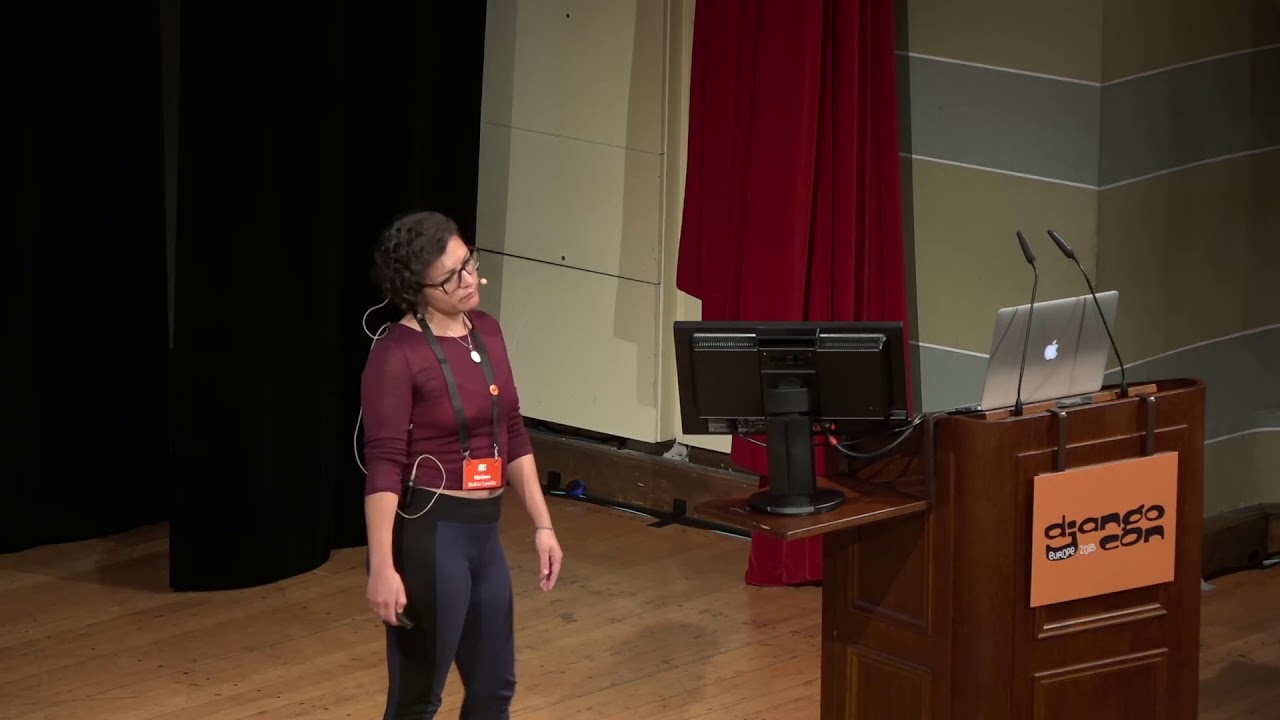
This video features Daniela Falcone and Mariana Bedran Lesche at DjangoCon Europe 2020 in Online.

DjangoCon Europe 2020 (Virtual)
September 19, 2020 - 13h55 (GMT+1)
"Integrating Design and Development teams by implementing a Design System" by Mariana Bedran Lesche, Daniela Falcone
In the software industry, developers, designers and stakeholders should be working together to achieve the same goals and deliver high quality products to the final users. To be actually able to work together in an efficient and harmonic way, though, is a whole other thing. In a team composed by developers and designers, we were able to mitigate the impact of communication flaws and concepts divergences in a continuous effort to cover the blank spots we found on every iteration we went through. In this talk, we're going to share some lessons learned about how to integrate both teams’ work with a solid management process.
A design system is more than a reusable component library: it provides shared language, standards, and a process that lets designers and developers make consistent, informed decisions. Mariana and Daniela describe a redesign project where an initial UI library failed to resolve handoff, scope, and feedback problems, leading them to introduce a workflow of discovery, design, specification, development, review, and QA. They argue that regular communication—especially design-and-development specification meetings—was the most important improvement, helping teams assess feasibility, separate requirements from suggestions, and keep stakeholders aligned. They also explain how predictable components improve developer QA, accessibility awareness, and speed, while allowing project-specific “snowflake” components when needed.
Summarised automatically from the transcript.
Automatically transcribed, so expect mistakes in names and technical terms.
Speaker 1: Hi folks, um my name is Marianna, or just Mari I'm a Python developer who keeps getting into front-end development. I've been part of the Python community in Brazil for many years now. And I'm in this personal project of conquering the North Pythonist world. So that's my third DjangoCon. I'm super happy to be here And I'll be presenting this talk with my colleague Dani.
Speaker 2: Hi everyone, I'm Dani and I'm a UX designer, Crazy Cat Lady And it's my first time presenting in a conference and actually my first time attending a Dev Focus conference. So I'm really grateful to be here to spread the design word for everyone And we know how hard it is to put a conference like this together. So we would like to thank the organization team for making that possible. And a disclaimer for pandemic's time we've been quarantined together so this is isolation for us. This is our office and it's empty. So yeah We both work at Lab
Speaker 2: Coast and we are an outsourcing software studio that builds great custom products and we build them so they are really great. And we are based in Recife, an always sunny city in Brazilian Northeast, as you can see. And it is so great that Mari moved from the famous Rio de Janeiro to here.
Speaker 1: It is great. So let's talk about Artist Talk today. We'll give you a brief description of what a design system is and its base concepts. We will discuss what it means for a developer to work with a design system, how it can improve our work. Then we'll get you we'll present to you a project we work together where we had the chance to implement some of those concepts and then we'll Explain to you how this process worked for us, what worked, what didn't, and the process
Speaker 1: we developed in the end , applying those concepts.
Speaker 2: So let's start. Why have you anzign system at all? What is good about it? And I personally there are a lot of definitions around, but I personally like the envision 's definition of it as a collection of reusable components guided by clear standards that can be assembled together to build any number of applications. And even though it's a team's responsibility to make an interface consistent between pages and interactions, designers, we often take it fully. Don't look away because I know a developer does it and it's not really your fault. But using these building blocks can make it really easier to distribute this responsibility by creating a source of truth where everyone has a voice, improving the communication between developers and designers and making deliveries
Speaker 2: faster. Since some specs can actually be skipped and even some layouts can be skipped, but I've never said that to you, okay? Last but not least, once it's done, it makes time to focus on what really matters. And that's the other person on the side on the other side of uh our software and that builds an experience rather than a screen and the result uh of all of that is an application with a more professional looking custom to the brand standards. And you may ask, why not just using a bootstrap instead? And the answer is you actually can. We for example use Boomer within the Lab
Speaker 2: code design system But if you have used those frameworks in a product that has some years, you may understand that with time It will no longer accomplish things easy breezy copy and paste paste that we are used to. And you will most likely start to create components free of the frameworks uh constraints to match the product 's um needs without a clear standard to follow. There are no guides to follow and well it can become a mess. And so a design system goes way beyond a component library like those frameworks. It creates a language based on the team's culture. And instead of generic words and nesting patterns, they're really hard to replicate actually, designers, developers, and even stakeholders will be able to understand
Speaker 2: uh more easily when things are not matching the expected behaviors and styles because it was built by all of them and that's distributing the uh that responsibility that I was talking about But no more design talking.
Speaker 1: So what do we have to do with that? As developers we love patterns. We love uh predictability That 's uh our work to build these patterns. So thanks to the design system we can implement consistent UMIs much easier When we look at a particular page having a design system behind it, we can think of it as a combination of known components and principles. When I look at a button, for example, I don't have to think about it as a button with uh some uh hash back color, uh background color, 14 pixels bold font and 8 pixels padding. I just know that it's a primary button that I've built it somewhere else and
Speaker 1: I just have to reuse that thing So the main points of having a design system is that it's a source of truth. So whenever I have a doubt about it, I just have to look at my design system It creates a common vocabulary for us. We can use the design system as a basis for our project's file structure. And it makes it more much more easy to keyway our own work before we submit that. So Talking about vocabulary. It's often when we implement a layout
Speaker 1: that we have some doubts about uh implementation details we face problems uh with the code and we have to communicate that and when that happens uh it's much easier to have a common vocabulary to talk about uh the page elements both with the designer and uh stakeholders like product managers or our clients If we have to ask something about a component or inform that we have a problem with it, we can make sure that everyone knows what we 're talking about. Uh besides this designers have already thought about uh the meaning of the components. Uh so
Speaker 1: They know what it means to the final user and for our stakeholders to have that component. So when I as a developer when I look at a component in the design system, I only recognize the visual elements But she already developed it thinking about the meaning. So I will use this meaning to name my components instead of just the visual elements. And and the structure they use to organize the elements, the small
Speaker 1: and big elements of the design system. things like the color theme , typography or big layouts, this structure will be reflect On my uh code organization. So as you can see, I can uh divide my my style sheets uh according to the pro these definitions that I already became from the design system. And I can easily QA my own work before I submit it. So when I look at a component, I already recognize these
Speaker 1: known patterns and elements that I have to work with. And when I check my own work, I just have to check for those elements that I already know instead of uh looking into each parts in term in terms of numbers. I can for example say that this this is a large or small font size This is a small, medium, or large spacing. So checking everything before submitting is much easier when I have all of that So, but let's talk about real life, right? Uh
Speaker 1: we had a project to work on uh that was a redesign of a platform uh with lot of legacy code unclear business roles uh messy really messy code Uh and as we did as like everyone does, we started simple.
Speaker 2: So we had a team of two sites and it was Lab Codes side and the client side and we had an internal project manager besides us ourselves and I was the designer and Mari was the developer and from the client side we had another developer and the product owner So we gather everything we wanted and toss it into a Trello board, which we reviewed weekly with both teams and reviewed tasks separately The product was already established and had all sorts of styles, but no guidelines at all So after understanding the audience and team's desires, our first proposal was to create a design system to make the product
Speaker 2: more consistent. And but the design system takes time really and we didn't have that. So we started with a UI library like that, with um the color scheme, some icons, some form components. and started from there. But that didn't quite work actually.
Speaker 1: Yeah. Well uh we had we faced some problems with that So we couldn't track the history of uh of a task between development and design. Actually, between design and development Uh we we developers didn't uh revise review uh the designs before implementing that. So implementation challenges could be unnoticed. Sometimes we we lack the data we needed to build that And tasks would constantly come back from Kiwi with both problems
Speaker 1: that it's normal to face, but also with new requests from the client. So we had a hard time separating was what was actually a problem from what was a new request.
Speaker 2: And what about the design system, you may ask? Wasn't it supposed to solve exactly that? And the answer is yes. And we had started at this point, as I've mentioned, but one thing was missing though. For a design system to be a system actually, it should make it easier for designers and developers to make autonomous decisions. And that was not really the case. In other words, we should be able to link the what , the assets. uh to the why the decisions and and the how and that's the aspects and we will do all of that in rituals And we started implementing that
Speaker 2: with time. But more than a robust UI library or a guideline, a design system is a process. And that's a game changer in real life projects, actually.
Speaker 1: So how did that process work? We migrated uh from Trello to Jira. Uh not we because we particularly like the the technology but it had the resources we needed and well that's that slide you're looking at right now seems a bit crazy, but that's our Jira workflow. It's not that complicated when you understand it We had a planning board where we would get our next ideas. So anything the client wanted to to implement a new page or uh refactoring of a of a page.
Speaker 1: This task would go to discovery, where designers and the client will talk about what they wanted, the user needs, the goal to achieve with that Designers would do their research, come up with ideas, and they would define what actually needed to be done. in this uh in this uh task. So then after the discovery process uh a task would go to the design board where well Design magic happens.
Speaker 2: Um so just to recap a bit because I know it's a bit overwhelming, but We had an idea and we put that in our backlog and then we moved that to Discovery where we could all get together or just a product owner or product owner and designers and get together to make that idea a bit more um top I think. And it would be like a a better description of the idea. And then it would go to spec to design, sorry, and then to spec and then it would go to to development. But let's focus just for a bit. in design. So to make it simple, we research, we prototype and we validate
Speaker 2: and all phases may include other teammates and in validation ideally we would include real users but It doesn't really happen for every task. It will depend on what sort of data and purpose we have for each feature. Once approved from design, tasks get back to the planning board and for specifying. And only after defining what needs to be implemented, the task is ready to death. Sometimes it needs to go back for more design iteration or to be more detailed like missing states or something like that. And that's What happens in the spec meeting, we check for all of that.
Speaker 1: So that's a ritual we introduced after facing problems in implementing some designs. So that's where we would sit together, designers uh and developers, uh to Yeah. Uh to check if it's actually uh possible to build the design we have So we check for available data from the back end for uh an API uh endpoint, for example Uh we check for components that are we already built before or uh see if we have to build new ones
Speaker 1: Uh we see if the interactions are viable. For example, a super complex animation may not fit in the time we have to to develop that. We measure the efforts to actually implement everything and we build uh we break the the big tasks into smaller deliverables. So then comes the development boards. That one I believe you all know how it works. We start with tasks in the our to-do lists, uh they go in progress, uh they have they are code reviewed, they are keyed by
Speaker 1: By designers and stakeholders , and ideally they would go directly to production. But that QA uh step is always uh the messy one.
Speaker 2: The thing was just a checklist to improve the QA cycle and it was very simple yet varies from task to task. Mostly it will describe the task purpose and implemented behaviors against the design specs provided It seems very simple and unnecessary since we already had this information previously, but it made simple and easier to distinguish requirements from suggestions. and to keep tests moving forward and not going back and forth. It also made the communication with stakeholders way easier and they knew right away what they had to do and
Speaker 2: Finally understood that if you want something else from the task purpose, you should add it to another task instead of going back and forth with the same one But what really, really, really work for us and I believe that for everyone else is communication. Communication is for sure the most valuable tool and in all teams. But we have to enable it to happen. The tools we use make it possible and we as individuals should make it possible as well. And that is to include the whole thing from the beginning to the end, even on the design phases.
Speaker 2: And as tools, we use Figma for design and handoff, Jira for management, and Git for development, but any tool will do it. And this way everyone can have perspective and understand delays and struggles to come up with better strategies for the product. And our process makes it easier to gather constant feedback in all phases and keep non-technical people informed of the limitations and delays we face along the way. Since we review each other's work in several steps and rituals, uh it's really hard easy to spot differences. For me, this is the most important
Speaker 2: thing and it goes directly, it connects direct directly to the spec meeting. So we couldn't achieve a robust design system for this project specifically because It was a short project and it ended. But it was our first opportunity to test this process and design system methodology. So it was then improved to build to build our own design system and it guides our internal projects and can also be used as a framework to our clients. So now it's a bit easier to develop a design system for our clients too. And even though it is still a baby system, it's already helped us a lot to improve our process
Speaker 2: and we've been writing some content with our lessons to help Everyone who's struggling to build their own from zero. So thank you guys very much. This is us presenting uh in our aerial silks and we are a great time uh together and outside work this work actually um thank you very much we hope you Our experience helps you to grow your own things and make lasting bonds between designers and developers. And If you want to get updates, please use this link, the LED code Junkon 2020, to
Speaker 2: sign up for our newsletter. It's bi-weekly, I guess. And the next edition will contain this presentation too. And other than what we write, we also share insightful texts and articles from all around that inspire our work. We hope we keep in touch and we'd love to hear from you.
Speaker 1: Yeah.
Speaker 2: So thank you very much for listening to us. Now in the QA session,
Speaker 1: we can sort answer any doubts you have or talk more specifically. uh to points you may find uh interesting yourselves. So uh we are up to that. Thank you very much. Bye bye. Bye Uh so uh someone asked, uh did uh you use Wagtail, Django, CMS, others or custom show solution? Why? Uh no, uh we uh this project uh already existed, was like a Django the Django template and uh REST API and Angular. js on the front end
Speaker 1: Uh so yeah, we uh basically had to adapt to to the situation we had So yeah, like the the CSS was uh especially a mess. So we had to like try to not override too much styles. uh so not to affect other pages that already existed then yeah basically everything was implemented by hand but with the this design system uh that We're implementing now we're using uh storybook, React Storybook. So we're building the components directly in React Uh
Speaker 1: yeah, so and like the goal is that we can you can install the design system as a separate NPM project Uh so basically uh in the future when we have it ready uh uh And we we want to start a new project with uh this system. Uh basically we would include uh the NPM dependency, uh like the NPM project as a dependency uh on the project And we have all the components available there. Anyone else?
Speaker 3: React storybook, uh you said. But uh in Django for the persistence of the data Who what would you use uh uh if you have to choose one? A custom solution, so yes
Speaker 1: Yeah, like uh if I were to build uh like a CMS thing, uh where I have uh for example this uh a design system uh in a CMS we'll probably um use like one of the uh solutions that already exist in the marketing. But I don't I'm not sure if I understood the like data persistency. Um
Speaker 3: So the data entry is uh done uh in the admin, I think. You are using uh Django, yes?
Speaker 1: Yeah yeah it was a uh a common Django project Just like straight straight jangle.
Speaker 3: And so uh to use an input uh in uh in uh in in your template a button or something uh other you have to build a component okay so that component uh is uh an object In uh your database.
Speaker 1: No, uh no no it's it's just HTML and CSS. Uh I I we build the CSS that says uh like the
Speaker 3: Oh okay.
Speaker 1: Yeah, yeah, it's just static components.
Speaker 3: Okay.
Speaker 1: Yeah, but I mean uh Both things like if you can build a design system just in your CSS and HTML, uh you just have to like build your classes and and use them consistently. Or in this case, in this like new um system we're developing uh it's like there are react components as we're building that in in react so you would uh import a component in your layout and and just use it. But you could like also use the CSS separately. For example, if you wanted to install the the system, but you don't want to use it with React. The CSS will be there anyway.
Speaker 1: So you could just like create your HTML and use the appropriate CSS classes.
Speaker 3: Okay, thank you.
Speaker 1: Nothing. Um anyone else? So uh while uh someone comes to with a new question, I just wanted to point out uh like dialoguing with the previous talk Um one of the learnings from from this is how accessibility is uh also our job as as developers. So it's not only the designer that has to implement uh all the hover and focus states
Speaker 1: and say like describe uh all the accessibility uh things in the in the project. It's our job also as developers to Be aware of that. So in this new project I'm I'm working on right now, I'm like the alt tax policy police. I'm always complaining, well, where's the the tech the description for that image, I didn't got that. Or some if if I eventually notice that a component doesn't have uh the focus state, I can like call out to the designer and say, hey, hey, you forgot this to add that state, like so please add it. And it like makes a huge difference
Speaker 1: if I don't have to be a designer to have that uh sensibility and to uh yeah, be concerned with that. Uh
Speaker 2: Yeah, just to complement what Mary was saying, um our design system is already coming with the components that goes together with our whole accessibility section um just like the IBM one or something like that if you're familiar with and some things are really hard to to find how to implement especially regarding complex elements like uh at least bill or something like that within
Speaker 4: four columns. And it's very useful to to see new new tools and uh guidelines um that sum up the the web and um uh guidelines so but if you have any anything to to add it would be very very useful for us too
Speaker 1: Thank you. I think next talk talk is starting soon. No, not yet.
Speaker 3: I have another uh question.
Speaker 1: Yeah
Speaker 3: How do you handle uh translations? They are static too, yes
Speaker 1: Yeah, in this in this case we didn't uh handle translations because the product was only for uh the US, so they only needed English. Although o of course not anyone in in the US uh speaks English, but uh that wasn't like a requirement for for the project. Um but yeah like I think uh you know regular Django uh we would a project we would just use Django translation tools. Like that when you like use that uh uh yeah like that uh how what's how is it called again?
Speaker 1: Uh That you get tax lazy. Yes
Speaker 3: where
Speaker 1: you yeah, so
Speaker 3: Okay, clear.
Speaker 1: But yeah, we'd never dealt, for example, with things like uh right to left um layouts uh that should be really, really hard to to implement uh so have no idea how we would do that. We would probably have to learn it on the fly because yeah.
Speaker 3: Okay, okay. Thanks.
Speaker 1: Well, if no one has another question, just wanted to say something else I remembered. Uh yeah, like one of the The best things about um having those this predictable collection of things is that uh we as developers get to train our brains to um work in that uh pattern. So like I'm not a designer, uh I I may have a a static uh sensibility to say well that doesn't look very good, so that could look better. But I I'm not a designer, so I don't know the principles behind like the the layouts that I'm I'm implementing
Speaker 1: But when I have uh really consistent elements to work with, uh my brain just uh starts identifying those those things automatically So for example, I know that normally a heading and a subheading will have a small uh spacing between between it uh and I've seen this pattern so many times that if I just forget to put that spacing between my my title and subtitle Uh I will notice that right away. Uh because like it's just uh photographed in my mind that
Speaker 1: like this is important. And especially with spacings, because there's like any layout has always lots of lots of spaces. That's the thing you most do in CSS is like add space there, there, there, there And when I have a very limited collection of options, so I either have four pixel, eight , sixteen, thirty-two, sixty-four pixel spacing options uh my brain just learned to immediately recognize them uh in a in a layout so I don't have to be like inspecting each one of the spaces between each one of the elements like the whole time because like they're just internalized uh so
Speaker 1: when I look at the design I just they automatically just pop uh into my eyes uh so like it makes the work much much much for faster uh like having that exercise in our mind so yeah
Speaker 4: Yeah, actually it's like we design it too. I mean with time you get familiar with the with the systems. I mean the small systems that you have in a whole system So yeah, it's just a thing of getting used to it.
Speaker 1: Hey.
Speaker 5: So hey. Mari, follow-up question to that last comment. So how do you handle um updates to those common components.
Speaker 1: Um yeah, like uh I don't think we had a situation where like a comp uh a component was updated in the design system so it would be updated for the whole project. Um but yeah I think that's actually the best uh case when it should happen. So uh like if you decide that that button now has to look different everywhere. Uh you just would uh update the main component Other than that, we would I think just create a variant of the component and say like we just want this
Speaker 1: uh changed value uh in that specific place so we would create a uh another variant of the the component. But maybe Dani can say more about that
Speaker 4: Yeah, uh the the project is structured in a way that you have the design system and other projects consume that design system. So you can pick what you be uh updating or not with your subsistence subproject or something like that.
Speaker 5: So can I follow up for a second with just like a clarification? Um so I guess maybe specifically, how do you communicate with like the design team and also the the project owners to sort of be like, okay, well, if we change this button, it's gonna change uh everywhere, right? Um like how do you like manage that sort of communication or feedback or
Speaker 4: um we don't have these uh huge uh uh structure for this hierarchy like that in our company. So uh we don't have many projects internal projects so it doesn't really happen for us because we are a small team and everyone is always communicating. But for clients, for example, it would be Like when you get a system update, you get a notification and you can pick which ones you are going to update
Speaker 1: really. So it would work sorted like that I don't know if hard price for you, but Yeah. Yeah, I think mostly uh like I as a in a developer team uh we would say well we we do have really have to update this this thing uh and we would ask the design team so yeah are you okay updating that to the whole platform Or uh do you prefer that we customize this one and leave the rest as it is or something? I think we would just ask for their opinion and Yeah.
Speaker 4: Yeah, I mean not all components would be like directly to the design system. Some components are um specific for a specific case on a project and we call that snowflakes. They exist outside the the design system, but follow those rules too. So some specific cases would be like more custom to the project.
It is a collection of reusable components guided by shared standards. It creates a source of truth, improves communication between designers and developers, speeds up delivery, and helps teams focus on the user experience rather than individual screens.
Discussed at 2:39Bootstrap can be useful, but products often outgrow its constraints and teams start creating inconsistent custom components. A design system goes beyond a component library by establishing a shared language and standards shaped by the team and product.
Discussed at 3:35Developers can treat pages as combinations of known components and reuse established patterns instead of deciding every visual detail from scratch. The shared vocabulary and structure also make code organization, communication, and self-review easier.
Discussed at 5:31The speakers use a workflow that involves both teams from discovery through design, specification, development, review, and QA. Regular communication and review rituals give everyone visibility into requirements, technical limitations, delays, and feedback.
Discussed at 13:47Designers and developers check whether the proposed design is feasible, including available backend data, API endpoints, existing or new components, interactions, and development effort. They also break large tasks into smaller deliverables and identify missing states or details before development begins.
Discussed at 16:54The checklist records the task’s purpose and expected behaviors against the design specifications. This makes requirements easier to distinguish from suggestions, keeps testing moving forward, and prevents unrelated new requests from being added to the same task.
Discussed at 18:43The existing project used Django templates, a REST API, and Angular.js, so the team implemented the initial components by hand with HTML and CSS. Their newer design system uses React Storybook and is intended to be distributed as a separate NPM package, while its CSS can also be used independently.
Discussed at 23:07Accessibility is also the developer’s responsibility, not just the designer’s. Developers should notice missing alt text, focus states, and other accessibility details and raise them with the design team; their design system is being built with accessible components and guidance.
Discussed at 28:03This project only needed English, so the team did not implement translations. For a regular Django project, they would use Django’s translation tools, though they had not worked through right-to-left layouts.
Discussed at 31:56Note: We understand that names change, people change, and bodies change. We respect each individual's journey and privacy. If you have any concerns about a video or need us to remove content, please don't hesitate to contact us. We will handle your request with care and promptly address any issues.

Published June 13, 2025

Published June 13, 2025

Published June 13, 2025

Published June 13, 2025

Published June 13, 2025

Published June 13, 2025