
0:05:40
Creating an Inclusive Django Community with Kenya Phelps
Published July 15, 2026
DjangoCon US 2026
This video features Scott Burns at DjangoCon US 2016 in Philadelphia, Pennsylvania, USA.
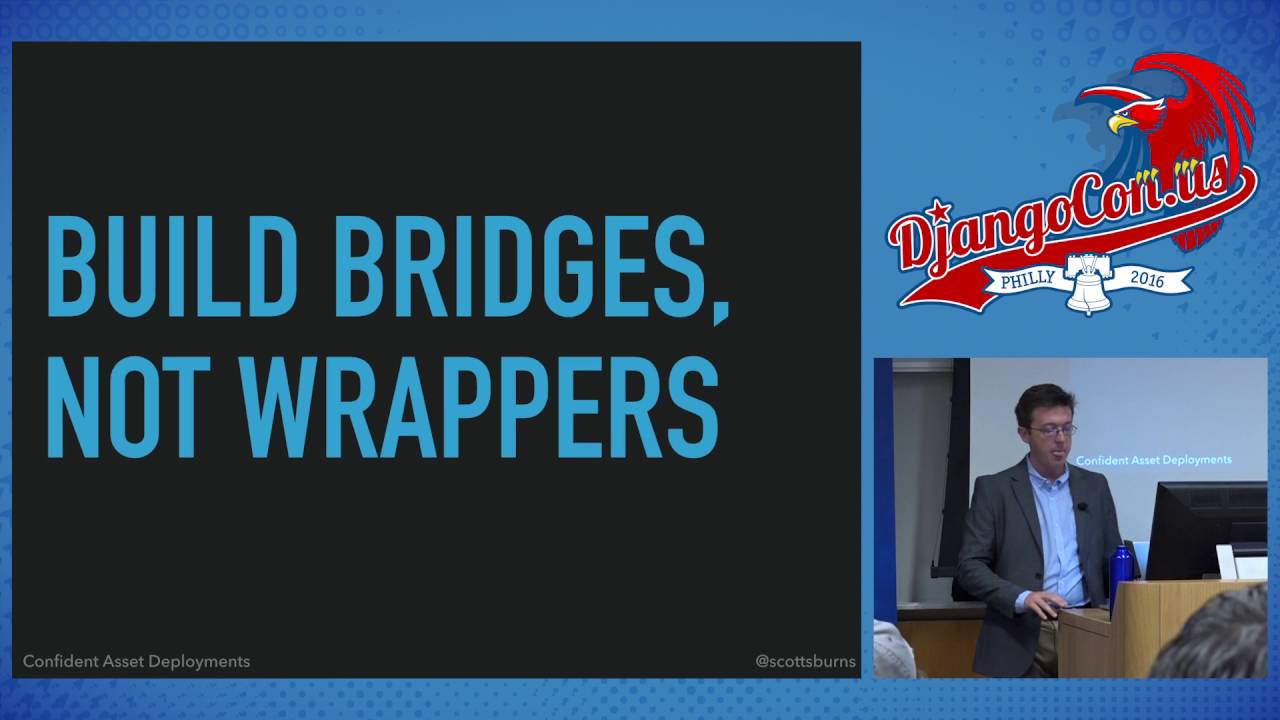
Confident Asset Deployments With Webpack & Django by Scott Burns
Webpack
What is it?
What does it do?
Source transformations
Output
Why Djangos collectstatic is not up to the job?
Must run after deployment
Doesn't do all the things
Slow
Integration on both sides
Webpack bundle tracker to output build stats
Django Webpack bundle loader to read those files
How to render links in templates.
This talk was presented at: https://2016.djangocon.us/schedule/presentation/12/
LINKS:
Follow DjangCon US 👇
https://twitter.com/djangocon
Follow DEFNA 👇
https://twitter.com/defnado
https://www.defna.org/
Confident asset deployments should be easy to start, fast, automated, tested, reversible, and independent of third-party services. Scott Burns argues that Django and front-end tooling should be connected rather than wrapped together: Webpack should build JavaScript, CSS, and images independently, while Django Webpack Loader reads Webpack’s stats file and inserts the correct hashed bundle into templates. This produces immutable assets, avoids template edits and production-side `collectstatic` builds, and makes rollback possible because old bundles remain available. He recommends uploading built assets to S3 or a CDN and keeping deployment concerns separate from Django’s application runtime.
Summarised automatically from the transcript.
Automatically transcribed, so expect mistakes in names and technical terms.
Speaker 1: Come on, no.
Speaker 2: Alright, good morning. Thank you for joining. A couple of meta points about this talk. If you're on the Slack team for DjangoCon. I made a channel in case you want to kind of chat afterwards or or whenever, and it's called Confident Deploys, so join that if you uh If you want to, I'll probably publish my slides uh there and Twitter as well. Uh, tomorrow afternoon, Jack McCoy is talking about the React and Django. So this talk is basically how you might get that set up, but his talk is really like why you might want to use React with your Django talk. So I definitely suggest going there. Before we begin, I have a small secret. Last year we were beginning to build a new React application. work. We had just hired a first front-end
Speaker 2: developer. It was on me to figure out how to make our Django application work with Webpack because he was gonna hell about using Webpack and we knew that it was probably the way to work the way to to move forward with our application. So the ideas that I'm going to present are not my ideas. The code I'm going to present is not my code. I fortunately stumbled across Awayas Loan, who's a developer from India, and his blog and a couple of the packages that I'm going to show have been super helpful. Without his work, I wouldn't be here talking to you today. So as a brief overview, what are we going to talk about? We're going to start with some philosophy. We'll get into specifics, kind of how to implement An asset deployment workflow uh around the philosophy, uh and we'll finally finish with a little bit of philosophy.
Speaker 2: So what do I mean by confident asset deployments? Sort of work from right to left. Deployments are just changes. Changes you want to introduce to your application. It could be to production, it could be the staging, it could be to testing, and hopefully you're putting out new features that get into in front of your users. But obviously we're humans, we're also deploying fixes as well. By assets, I mean JavaScript, CSS, and images. And in this case, I sort of mean first-party images. images that you include with your site, not necessarily images uploaded by your users. Confident. What are some attributes of deployments that I think can help us become confident
Speaker 2: that they're going to work? Well the first is that they need to be easy to begin. You should be able to do it from your local machine. Ideally, though this talk is not about it, you should do it maybe from chat ops. you know from your uh from Slack or however you communicate. But if they require you to be logged into some secret system somewhere, that's not great because you're less likely to do that. They need to be reversible. What I mean by reversible is uh I never like to edit resources, uh specifically my assets. Uh if I'm gonna deploy a chain I want to create completely new assets because no matter the scale that you work at, things will go south at some point and you want to be able to kind of back out of that deployment and get back to a known good state quickly.
Speaker 2: They need to be fast. A slow process, a slow deployment deployment process necessarily means that Just introduces more time in which things might break. So if you can deploy quickly, uh there's just fewer things to go wrong. Uh it has to be automated. Um Automated deployments can be improved through code and not necessarily any human sort of relearning your process. If we make improvements to our deployment, we should do so through code and through a PR, something that can be reviewed, instead of like a Google spreadsheet that people aren't going to read. It needs to include as few third parties as possible.
Speaker 2: I don't believe that we should depend on GitHub being up or PyPy or NPM or any third party. We should be able to deploy whenever we want, however we want. Uh and it needs to be tested. Uh I'm not going to get into how we test or what we test, but if you're delivering you know, software that users depend on, whether they pay for it or um or however you you make money, you need to be able to test before things get to production uh that things are gonna work the way you expect. So you should probably test the back end, you should probably test the front end if it matters to you. Why are we talking about this now? It's 2016, Django is 10 years old, the web is even older.
Speaker 2: You'd think that sort of asset deployments are kind of a fixed problem. Well, the tool chains have improved, and specifically uh on the JavaScript side of things, there are uh many different tools these days out there for sort of uh bundling up your applications. Um and minifying them. What I mean by minify is basically reduce all the white space in your assets so that the requests that you do serve are as small as possible. So these tool chains have gotten a lot better in the last couple of years. Communities move at different speeds. If anybody is somewhat uh involved with the JavaScript community and all the sort of sub-project communities,
Speaker 2: you know that they move they tend to move very, very quickly. And that's okay. They move much more quickly than Python. They move much more quickly than than Django. It's just kind of a younger community. They're in a very sort of fast growth stage. But as web developers We want to use the best tools regardless of what community they come from to accomplish the needs that our website needs. You know, we're ultimately tasked with delivering value to our users, to our stakeholders. So Whatever tool a community comes from, we need to be able to use it. So as back-end developers, we need to adapt and sort of build the best tooling and and infrastructure that we can to deliver the best sites and experiences for our users.
Speaker 2: What this means is that we need to build bridges and not wrappers. What I mean by a wrapper is maybe a high-level Django command, management command, that beneath the sheets sort of runs third-party tools from communities. For instance, uh collect static. You can configure collect static, which is which is a Django management command that ties into uh the static files. um application uh that can be it can be sort of coerced to uh when you run it to eventually uh post-process your CSS to minify it to post process your J it your JavaScript to sort of concatenate all your JavaScript files into a single file. But I'm gonna take the stance that this is the wrong way to do things. Um because the tool chains have been improved, uh I think we need to work more towards building bridges between uh your system
Speaker 2: for building your front-end application. and Django. And so rest of this talk, I kind of want to demonstrate how we can do that. So what does this look like from a code perspective? I've gotten kind of a third of the way through the talk and I haven't mentioned Webpack at all. So Webpack is a system for modeling all of your modules, specifically on the front end. So these days we can build our front end with a great, great, many, great, many tools and tool chains. So this this picture I think is actually great. This is from webpack. github. io and it's It's it's the picture you see when you first start learning about Webpack. So we can build our front end, we can build our JavaScript uh in sort of plain JavaScript
Speaker 2: But we can also maybe write it in CoffeeScript, or we can use uh JSX if we're building React apps. And it depends, you know, for a particular JavaScript component, it might depend on how having some CSS on the page. You might write this CSS in less or SAS or just raw CSS. And those CSS files might require some images on the page as well. So all of these dependencies sort of make up our front-end applications, whether we want to or not. So Webpack's goal is to sort of build the graph of how all these things interrelate and then produce for us a few JavaScript files. Much fewer, many fewer JavaScript files, maybe a CSS file,
Speaker 2: and images. So through this process, sort of a webpack creates bundles that include all of your code. And you can sort of transform it, take it from CoffeeScript or SAS to actual JavaScript and CSS that your browsers understand. So how do we get installed with Webpack? Well um we NP install it uh with uh dash s. So dash s is gonna save webpack in your package. json file and dash G will sort of put the Webpack um uh binary into your path. Uh we're also going to install a Webpack bundle tracker uh which is a package written by OAS that I mentioned before, and we're going to see how we use that very quickly.
Speaker 2: So Webpack is sort of driven by a webpack. config. js file. You can think of this as your settings. py file for Webpack. You basically write this once and it drives Webpack. It tells Webpack exactly how to build the bundle, where to find your actual code, and how to um how to bundle it up, any plugins you might need. So the this this particular code snippet that I'm showing you is about as basic as it gets Anything that you'll actually use for your site is going to be more complex. But Webpack tends to move quickly. The plugins that people write for it move quickly. So anything that I really show you is going to be wrong in about six minutes. months. But there's many tutorials out there. There's lots of sort of
Speaker 2: bootstrapped packages you can learn, you can find and eventually find a webpack config file that works for you. But the basics involve a couple of different points, different pieces of data. And so we're focusing kind of on the module. exports. That's kind of a fancy way that JavaScript knows how to. essentially like um namespace outputs from different files. So the first important thing is the entry property of this object. The entry property tells Webpack essentially where to start looking for your code and you can give it a name, in this case app. So the property is app and it points to a index. js. I'm not going to show you this file, but this file is essentially where you begin importing all of your actual front-end code.
Speaker 2: You can import your JavaScripts and your JavaScript files along with CSS, which looks weird in a JavaScript file. Trust me, you can make it work. The next section, the next property is output. Where should Webpack put all these put all these files that it's gonna produce? Path. resolve is kind of like os. path and uh uh in python and we're basically just we want to put it into the bundles directory of the static directory that's alongside this file And we're going to give it a name. We're going to essentially the uh we want to give it a specific name. So the little name token here will be the name of the entry point. So we could have multiple entry points
Speaker 2: In this case, we're going to produce a file called app -something. That something is the hash. So anytime Webpack rebuilds the bundle. If your code changes or any third-party code changes, this hash is going to change because the hash is essentially a unique token of all the contents of your file. So this is how we can start to begin to build basically immutable assets. Every different bundle that we build is going to have a unique hash on it. And we can add plugins to Webpack, basically plugins that can sort of inject code before, during, and after the build process. So the one thing I'm going to show you here is a
Speaker 2: bundle tracker. So bundle tracker just needs to be given a file name And we're going to write essentially the statistics of how the build is proceeding to this webpack-stats. json I think in the React Django talk um later uh later tomorrow, uh Jack will talk more about the loaders, uh, but fortunately I don't have enough time, and that's where lots of the magic that Webpack can do. comes in. So to build the bundle we just need to run webpack and pass it the config flag and pass this this file as the config file. flag. What this does is build the bundle and it also writes out this because we
Speaker 2: Because we define the bundle tracker plugin , it writes out the webpack dash stats. json file. That file is a just a small tiny snippet of of JSON and it basically has the status. During the build the status is building. But when it's done and it finished successfully, the status is Done. And it also writes out chunks. So the um in this example, the only chunk it wrote out was the app, the the basically the name of our entry point. And so it has the name of the file. And like I said, it's app -sum hash. And it also has the uh basically the full path that it wrote the bundle to. So this this kind of uh encapsulated the in the entire knowledge of what Webpack
Speaker 2: did. It's not the bundle itself. Uh and there's I did I'm not gonna show you the bundle because the bundle was just a bunch of um JavaScript and whatever, and it really depends on on your site. But this encapsulates what Webpack did, what it, the actual assets that it produced. And if you get this far, congratulations, because it can be difficult getting to the point of actually making WebVack do what you want it to do. But I promise it's worth it. Um so what what are we kind of dealing with on the file system? Um Where do things live? So manage. py is a highlight it's our sort of it's our in it's our interface into uh Django Management Command. Next to it is this webpack. config. js file.
Speaker 2: When we run webpack and execute a build, it changes webpack-stats. js. JSON it changes the content of that file, but the name of the files just stays the same. And then next to it we have our static directory. And you know our file that that contains our JavaScript is indexed. js. js and uh it builds the bundle in the bundles. I would suggest ignoring the bundles directory. It's usually good practice with virgin control systems to not virgin control build artifacts. And then you know in app uh in the app slash app directory, that's the rest of the uh Django, that's the rest of your Django project. Um so your
Speaker 2: Earls. py, all of your applications that that actually sort of implement your backend logic. So we actually want to get this, we want to reference this file. in our templates because we've just built our assets. We need to reference them in our templates. So how will we do that? One way to do that is to use kind of the static files the static tag. And everybody's probably seen this. This is how, you know, for a very long time, this is how we referenced front-end assets. So behind the scenes, the static static files application basically provides a way for you to organize all of your assets.
Speaker 2: uh and then reference them in templates without hard coding your pass or anything like that. The problem with this is though that every time we run a webpack build uh with changes, we're gonna get a different hack. So if we forget to uh kind of update um this HTML document, we're never gonna reference the new bundle, which is bad because uh we're gonna get very confused. We thought we fixed this JavaScript bug, but we didn't change our template, so users don't actually get linked to this new script. So errors continue to happen. If only there was a way to fix that. So another package that OAS wrote is called Django Webpack Loader. We pip install it the normal way, and uh then we kind of just have to tweak our settings. py uh
Speaker 2: to so our Django application will use it So uh make sure that uh in static files DIRS in that settings. py um setting uh we put static we put the static directory in there. We also need to implement the Webpack Loader setting. So basically we need to give it the bundle directory name. This is the the This is the directory under which Webpack is producing, is writing bundles out. So in this case it's just bundles. And we also need to tell it the stats file. What file is sort of tracking the bundles that are written into this directory? directory. And in this sort of toy um toy project, it's webpack-stats. json. Finally, uh
Speaker 2: we need to input we need to put webpack loader in our installed applications so Django is able to um uh reference it in our templates. So how do we get uh the built assets into our templates a sane way? Well now our index. html looks a little bit different. We can load the render bundle tag from Impact Loader. And then when we need to render the actual script tag, we don't have to write a script tag ourselves. We use this render bundle tag. And behind the scenes, it will produce the correct script tag for us. If we were able to produce CSS bundles, it would produce the right link to our style sheets So what this does is behind the scenes it uses static files, but it also uses that webpack that
Speaker 2: stash stats. json file to extract the name of this particular bundle and use it when building uh when writing out the link. So when we're deploying, all we need to do to deploy to production is run a new webpack build, commit the changes that occur in the stats file. But none of our templates need to change. So this produces, this makes deployments that are essentially one small little JSON file changes. And every template that references then through this render bundle still continues to work exactly as we would expect. So what is rendered is kind of the correct, as we would expect. It renders a script tag with the correct source, type, chart sets, everything that a browser needs to be able to find that file.
Speaker 2: So for the visual people in the audience, uh we have Webpack running independently of Django. Uh so when we run a Webpack build, it produces this Webpack stats. json file and it all also produces the bundle itself. When Django receives a request and needs to render out a template that references that bundle, it just needs to read the Webpack stats file. When that bundle changes and we produce a new bundle, the content of the stats file changes, but nothing else in your project changes. You don't have to update any templates yourself. Django, we've configured Django through Webpack Loader to just read that file and produce a different link in your template. So, just kind of finish up with a little bit of philosophy.
Speaker 2: I don't think that we should serve our assets from Django. I recommend using S3. If you're worried about performance, a CDN if you must. But to me, S3 kind of is is a perfect place to put your assets. The permissions are a lot a lot more easy to handle than you know ingressing into your production network. and it's also accessible from everywhere. What this means is you can build your bundle through Webpack. Commit that change and upload the bundle to S3. And then as you're testing, if you have your project running under CI , you can actually test, you know, you can do in-browser tests through the actual bundle that's already produced in an S3 that your users will actually use
Speaker 2: once you deploy these changes. Why don't we use sort of just pure static files? Why don't we use collect static? Why don't we use that? Well first uh to run it you know sort of in your production environment you have to be able to get to production. production. And depending on the level of you know security in your project, that could be difficult. It's slow. Anytime you make any change to any of your assets through and need to deploy them through collect static. It it copies everything. So in the meantime, you are potentially serving requests that reference assets. That aren't actually ready because Collect Static is slow. And finally, if you want to do anything fancy with your assets in Collect Static, you have to include
Speaker 2: post-processors, which means installing software on your production servers that aren't that are only used that's only used uh when you run flex static. And uh I like to include sort of the bare minimum of the software on my production servers as possible. possible. In general, I think we need to worry about separating the concerns. Django does what it does really well, and Webpack and tools like it do what they do really well. If you sort of use this kind of workflow, the front-end developers on your team are going to love you because any tutorial that they find about some new JavaScript technology is not going to be written from the perspective of integrating it in a Django project. It's going to be written with Webpack or something like that.
Speaker 2: DevOps or just operations in general will love you because you don't have to they don't have to sort of punch a hole in your network so that when you do need to deploy you would have to uh you know get to your production some production server and run collect static. Collect static is not needed anymore in this kind of in this world. So operations is able to lock down your servers even more. I think it's great for new developers on your team too. They don't need to learn sort of new extra Django management commands, and they also don't need access to sensitive systems. So I hope that this is kind of an interesting workflow. It might not work for your team, but I hope you kind of think about
Speaker 2: The philosophical points that I'm trying to make about building better workflows for not only back-end developers like ourselves, but also the front-end developers on our team Thank you.
Speaker 3: So we have some time for a few questions. Does anyone have a question?
Speaker 4: That command to actually uh uh get the hash or to uh change that JSON file that holds that hash that um Django Webpack uses in the templates to bind that. Mm-hmm. Uh that bundle. Can you just pass in anything? Like could you pass in like a uh the actual hash? So in case I wanted to deploy or to use a like environment variable instead of changing a JSON file instead of like having that commit in there to do the deployment I could just Just pass in a variable and that would just kick off my deployment.
Speaker 2: That's a great question. What I would say is So the hash is dependent on the contents of your file, and you might not know what that's going to be until you build the file. But you could use that stats file in other ways. So you could use that stats file, maybe upload it to a build server or something like that. And it could reference that file, if that makes sense, and sort of introduce an environment variable into your machine or something like that.
Speaker 5: Yeah, I guess I've got two questions. One okay, the big one is that we're using something similar. Every time we run like a production build, we end up with The old hashed coded files as well as the new one. Do you like run some sort of housekeeping to take care of that?
Speaker 2: Uh no. Um Simple man the simple answer is no, I don't really worry about old versions. Um depending on how much you're willing to pay S3, you know, these files, it if you kind of if you minify them and g-zip them, they end up being very small. You know, they're hundreds of kilobytes. They're pretty small. In the grand scheme of things, that doesn't cost a lot to host. So no, I typically uh I don't ever delete built bundles. Just because I don't want the possibility, the off-chance possibility of somebody referencing that in a page somewhere and it not actually exists
Speaker 5: And so like when you're doing development, do you use a separate Webpack config so that you're not creating these hashed things?
Speaker 2: Yes, yeah, I did show that, but there's a way to basically um In development build just a app. js file that only lives on your machine.
Speaker 5: Right, with your with your settings files.
Speaker 2: Yeah, yeah, with the with the webpack config along with uh uh Django's config config, you can kind of you can make that so it uh transparently it looks the same but you're not building separate bundles all the time in development.
Speaker 5: And Final question, you were saying that this is reversible. Is that reversible because you've got the hashed or because you're using some sort of configuration management system so you always can go back to an earlier build and
Speaker 2: Uh it it depends a little bit on your deployment process. Uh but what I meant by reversible is because we never delete or edit existing files, we just produce new ones. If we produce new ones that aren't correct or something gets gummed up in your deployment process, you can always maybe revert to master and deploy things that exist that you know were.
Speaker 6: Um I have a question. Um so Django 's nature is to keep static files inside application folders and to have multiple applications. Have you handled this?
Speaker 2: Yeah, um so the the kind of the the setup I I showed here was a very like toy um and I probably need to write sort of how we actually do it at work. But what is what what we do is that we have multiple entry files for the different aspects of our site. And so we have multiple, we end up having multiple stats files. And I didn't show it, but the webpack loader settings and settings. py, you can actually build it as a dictionary, kind of like your databases, kind of how you specify databases. And so you can specify sort of each stats file and and have kind of different aspects of your site built as different bundles.
Speaker 3: We need to prepare for our next speaker.
Speaker 2: I'll be right outside. Yeah, thank you.
Webpack builds a dependency graph for frontend JavaScript, CSS, and images, transforms source formats such as CoffeeScript or Sass, and outputs browser-ready bundles and assets.
Discussed at 7:28Webpack adds a content hash to each generated bundle, so every build produces a distinct, effectively immutable asset. Because existing files are never edited or deleted, a deployment can point back to an earlier known-good bundle.
Discussed at 11:23Install and configure Django Webpack Loader with Webpack’s stats JSON file, then use its `render_bundle` template tag. The tag reads the current hashed filename and generates the appropriate script or stylesheet link without requiring template changes.
Discussed at 18:14Build the assets with Webpack and commit the resulting stats-file change; the templates do not need to change because Django Webpack Loader reads the updated bundle metadata.
Discussed at 19:03The speaker recommends building the bundle, committing the stats change, and uploading the assets to S3, using a CDN if needed. This keeps asset delivery separate from Django and also lets CI test the exact bundle users will receive.
Discussed at 20:42Running collectstatic in production can be slow, may require access to production systems, temporarily exposes incomplete asset updates, and requires extra post-processing software on production servers. Separating Webpack’s build process from Django avoids those problems.
Discussed at 21:29The speaker generally leaves old bundles in place because they are small and inexpensive to store, and deleting one could break an older page that still references it.
Discussed at 25:34Use a development Webpack configuration that builds an unhashed `app.js` file locally, so developers do not create a new hashed bundle on every development build.
Discussed at 26:17Define multiple Webpack entry files and configure Django Webpack Loader as a dictionary containing the separate stats files, allowing different parts of the site to be built as distinct bundles.
Discussed at 27:26Note: We understand that names change, people change, and bodies change. We respect each individual's journey and privacy. If you have any concerns about a video or need us to remove content, please don't hesitate to contact us. We will handle your request with care and promptly address any issues.
Published July 15, 2026

Published July 15, 2026

Published July 15, 2026

Published July 15, 2026

Published July 15, 2026

Published July 14, 2026