0:06:39
Leading the Django Software Foundation and Building Open Source with Thibaud Colas
Published July 15, 2026
This video features Thibaud Colas at DjangoCon Europe 2024 in Vigo, Spain.
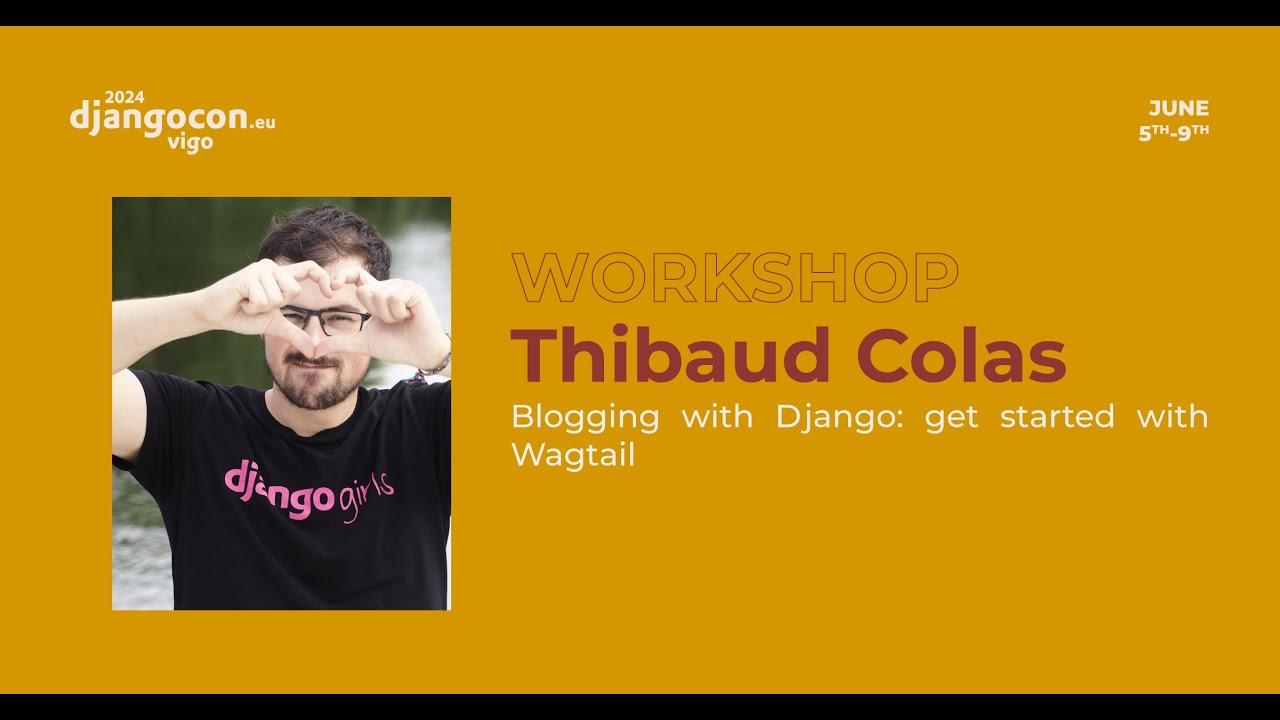
Workshop: Blogging with Django: get started with Wagtail by Thibaud Colas
https://pretalx.evolutio.pt/djangocon-europe-2024/talk/PNWU9L/
Wagtail is a Django-based CMS that keeps Django’s familiar project structure and customization while adding built-in features such as page trees, rich-text editing, image and document management, search, live preview, accessibility checks, workflows, revision history, and multilingual support. The speaker demonstrates creating a blog from scratch: installing Wagtail, defining page models, configuring templates and URLs, listing child pages with Django querysets, and integrating Wagtail into an existing Django project alongside the Django admin. They also deploy the site to Fly.io using PostgreSQL and S3-compatible object storage, explaining the production settings and resolving a missing-database-migrations error; the demonstration ends while showing image management and the deployment setup.
Summarised automatically from the transcript.
Automatically transcribed, so expect mistakes in names and technical terms.
Speaker 1: Wagel has its own take on how we do code management. The main thing that distinguishes us is obviously the Django foundations. So the idea here is to have a project where as a Django dev, if you want to build a site just feel right at home with the tool. And that'll be some of the features you expect from those platforms, as well as the customization options you'd expect from Django. So me specifically, I've been working on Wagtail as an open source project in the core team for about eight years now. I joined Wagtail on the core team before I joined Torchbox. And at Toshbox itself, I'm looking at development of the admin interface for the CMS. I'm looking at marketing and sales, looking at training as well. So this session that I'm providing today
Speaker 1: is uh essentially the same as what we have on our own tutorial for Wagtail at uh at Docs website, docs. wagtail. org, but condensed from a three to five hours format to 15 minutes. So it's going to be quite fast-paced, especially because we're doing deployments today. So we spent quite a bit of time. We've had a very successful Google Season of Docs project for people who might have heard of those programs where we had a tech writer working with us for about six months creating a new tutorial that takes you all the way from no knowledge of Django to I have a personal portfolio website deployed on Fire. io And that took us quite a bit of time to put together. So I'm really happy that we get to reuse this in this kind of shortened format.
Speaker 1: For people who might not have used Pilot. io before, they very kindly provided me with a few vouchers that they've been soluting in the conference. If you don't have one of these already, it's their stickers and the voucher code is behind. If you feel like trying it out, I would highly recommend leaving it a go. It's $50 credits. That's very generous. So I'll just leave them here on the table. And if you want to grab one, do so at any time. If you're wanting to try out the file day experience right this very day, you'll need to sign up with a credit card, verify your account, and so on. takes about five minutes or two if you want to do this now or leave it for next time but i'll leave those stickers here and yeah thanks very much titleio for working with us on making sure that blacktail works great on on their platform You're right here.
Speaker 1: Okay, so back to White Tail. Um We are gonna go through a little uh exercise of setting up our sites as if we had nothing. So set up from scratch. This will be quite different from what you'd get if you added wagtail on an existing Django project. I'll point out along the way in in which ways exactly it's different. So again, just for people who have just arrived, this will all be either on your computer at your own pace or you can follow along on my screen share. the same instructions either way. They are written so that you can do them on your own. And they are at wactel. org slash Django dash blogging. Martin. org slash Django dash blogging. I'll I'll leave it there and move on. So we're gonna head right into the command line and I'll try my best to make this all visible while having the two
Speaker 1: documentation and uh the code side by side. And for now we're gonna use our white tail start command to get us started initializing the project. So here I've done one thing compared to what Sio says. I created this block blog folder, which is where my projects will live. So this would be where you would do a git init. For example, that's my main project folder. Just one more check for people in the back if the text size is okay that you can read it well enough. Great. Thank you. Um so yeah, git in it, good start way to start the projects. And the next thing I'll do is create a visual environment. Again, nothing special here. The steps I'm gonna follow them on my Mac, so it's gonna be Mac
Speaker 1: commands. Tutorial has instructions for Windows, Linux, as well as some variations WSL. And the main docs have even more information. But for today, we'll go uh at a bit of a faster, faster pace. So nothing special there, just getting started and I'll do the first thing which um makes us add into the Wagtail universe which is pip installed Wagtail and we'll notice right away Compared to some of the other Django projects you might have seen in the past, there's quite a few dependencies. And again, that's this idea that we definitely want to have quite a few batteries included out of the box One of those big batteries being image management. So that means multiple formats for images, that means resizing images and lots of other operations.
Speaker 1: So that's one example of something that's Essentially means we have lots of dependencies. Just about 30 in total. So now that I have Wagtail installed, I'll just double check that I do, I'll be able to use my Wagtail start command to create my new website. So no, that's not a good sign. Okay. Not sure exactly what is going on here, but we'll just read the hard way and move on. Okay, so that's just like uh Django Start Project Management Command, nothing too special here, just probably would add a few niceties along the way to make it work better. So one of these being um
Speaker 1: our default templates that we have with Wagtail is a bit more opinionated. It comes with a built-in Docker file as an example. And the command itself has a few other niceties for developer experience. But there we have it. Now I have my my new project initialized. I'll just show a quick directory structure and there's lots of things uh because we have uh oh sorry because I forgot to I'm showing you my virtual environment, I uh I'll show you over here. So we have uh three apps by default. The home app is where we get started first. My site is where we hold our project settings and kind of site global uh configuration and the search app we won't spend too much time on today so search is one of those features that wagtail comes uh with
Speaker 1: built in Okay, so I've done my white set starts and uh now I'll get going creating my project. So first thing I'll do is Call through the instructions. Mark says start my site. Create the database. Nothing too special here. Again, this is just a Django commands you'd expect on any project. Create super user would be the exact same story. Starting the server is all the same. It's just as if you were managing any Django project. There is one command as an example of something that differs. Since search is a built-in feature, we have a command that says
Speaker 1: please re-index my database contents for search now. So we have we do have a few like this If you ever want to hack the Wagtail world, all of our demo sites use change me as a password since forever. I do not know who started this, but yeah, the irony isn't lost on all of us. Okay , and now we can get our server started and see what Wagtail without any customization looks like from our start template. So just like with Django, we have a lovely uh holding page that tells you that your site
Speaker 1: successfully initialized and gives you some guidance on what to go from here. And the one thing we want to do, obviously, is very very cool with Wacta is having this admin interface. So we'll switch right over to that. Quick note for people who follow on their own computers, Wagtail supports a dark theme for the email interface, just like Django. So it could be that you see all of this in a dark theme. If you want to switch, it's under your account settings Okay, there we have it. So right now there's not much in our site, just one page, zero images, zero documents. So again, those are some of the batteries that come built in We do with WhiteTel allow you to turn some of these off should you prefer, but this
Speaker 1: base tutorial essentially has what we'd recommend people get going with. Quick note of how it differs from Django in other ways. We have a full-fledged editor guide, which I'm really proud of because again, it's one of those projects. we were able to do via um the Art Ricci internships program. So again it's something where we had someone work with us for for three months to create this site. Just create the project and then we had someone else helping with the content. And yeah, we're very happy to, I guess, involve the community in that way and increase the diversity of our open source projects as well with those new contributors. So shout out to Hitrange who worked on the site and to Damilola who worked on the content. Okay, back to the admin.
Speaker 1: So on here. Something that looks quite similar to the Django admin in some ways. Main navigation for Watt is in this sidebar and right away we'll switch to the pages area in the page explorer menu where currently we just have the one home page So Wagtail as a CMS is heavily based on pages as a hierarchy of tree structure with roots and notes. So here the home that would be the root of the sites Underneath it will have different sections and further and further we'll have uh the pages of the site. So it will be quite clear when we start creating our blog posts. For now, what's the most important to know is compared to other CMSs like WordPress or Drupal, Whitehead does have this quite strong page tree structure like files and folders.
Speaker 1: Does anyone have questions at this time before I move on? Who here has heard of Wagtail before? Just so I oh my gosh. Great. Okay, great. And who who here has tried it before? Quite a few as well. Okay. Okay. So you those who who have tried before, I hope you do have like good questions based on your experience so far. Be very keen to get some feedback or just hear what's not made sense so far, if there's anything specific. Yes.
Speaker 2: Yeah, I noticed um the variety Django deport me. Do we still have access to
Speaker 1: I can sorry talk louder?
Speaker 2: Do we still have access to Django deport? admin if that we
Speaker 1: 're so for people on the stream uh question is whether we still have access to the Django admin and yes definitely uh we try really hard to make Wagteil compatible with any arbitrary Django app the admin being one of them. So there's nothing special about that. It just means that when you configure your routing for um the different apps, you'll have them in different uh paths.
Speaker 2: Okay, one more question. How do we integrate this into an SC Django application? I just want to use Mark automatically
Speaker 1: Yeah, of course I can show you a bit of that. So um I skimmed quite quickly over the different apps we have here. I think the best way to answer that question would be to look at the MySite app that contains our project settings and the URLs. So this is where we can see some of the Wagtail uh Wagtail magic. I can see my URL patterns here that the the Wagtail admin is at. slash admin, Django admins up here, and then we have some other WhiteTales specific uh your URLs here So essentially it will mean going to your Django projects, deciding which features of Wacta you want to add and where you want to place them. So the most common thing that people do when they want to add Wacta to an existing site is we have this catch all.
Speaker 1: Pattern here, that's gonna be serving all of the pages of the site. So if you added this one using Django project, you probably put this at a specific path of the site rather than have it catch everything. So that's a common way to integrate. And then it's just going to be a matter of deciding which uh which apps from Wagtail you want to add to your project. That makes sense?
Speaker 2: Yeah, but um starting the project with um one piece that one existing project how would that work
Speaker 1: Okay, yeah. Um same as you would install any Django package, essentially you'd look at their docs, the documents, here are the changes you need to make, here are the apps to install, the configuration to add, is the exact same. Okay, um we're gonna look now at uh a specific Wagtail model, which is obviously quite an important uh part of the Wagtail developer experience. So here we're gonna customize the home page model and I'm gonna copy paste my code example just for the sake of uh speed For people who are following on your own computer, almost all of the code snippets on here are copy-paste safe. The only one that will not be is the blog page when you get to that.
Speaker 1: So yeah, right before, sorry I should show this first, we had a blank slate, so to speak, for our homepage. We declare this new model called homepage that inherits WhiteTales page model So White Tails page model is where quite a bit of the magic comes from. That's uh how Wagtail understands where the pages are in the tree. That's how our search index commands know what models to work with, and that's how the drafts features in the CMS work and quite a bit of other CMS-specific CMS specific features. I do want to flag, uh thinking of integrating this with an existing Django project, you can use existing Django models with the white
Speaker 1: admin. You can use features like the live preview. saving drafts, having a history of your changes with arbitrary Django models. I will not show that today just for the sake of time, but it's definitely something we've tried hard over the last few years is bringing back those page focused features. to arbitrary Django models. So yeah, back to the homepage. Compared to before, we've added the one field, just like you would with any model. It's a rich text field that comes straight from Wagtail. And uh here with this content panels definition, we say to White Tell, okay, here are the fields I want to display in the form in the admin. So we'll take a look at what that looks like in the admin.
Speaker 1: By editing our homepage. And of course, just like any Django model, new fields, migration needed. So again, like my main point here really is that there isn't too much that's different about it And even though it can feel like a different project in some ways, Wagteil is definitely a CMS that's meant to work with Django, not like in a position to it. So yeah, make migrations. New fields, migrates. There we go.
Speaker 1: Right on, okay. So here we are in the page editor in the CMS. This is where uh people who use the CMS day-to-day to manage websites would spend quite a bit of time. This is a very simple page type, but you could imagine it being quite a long form. So we follow a very similar philosophy to Django where when you want to edit different parts of your project, you'll have those quite lengthy forms that will look very different. from uh the actual live sites. So some CMSCs, they try to bridge that gap by having content management people edit the live page with the design and so on. In Wagtail, we try hard to have quite a strong separation of concerns between how developers decide like the data model for the sites and what's editable in the CMS.
Speaker 1: So lots of freedom in the CMS in the sorry in the in the code in the CMS is quite constrained so you can have some trust in exactly how the data uh is going to be stored But we do have one way to bridge that gap, which is our live preview feature, which you can see over to the right here. So right now we still have our placeholder page on here. So let's let's fix that next. I'll just add a bit of content. Publish and then we'll create our templates for our homepage. All right. So this is this is Django templates, nothing too special here.
Speaker 1: We do support Jinja as well, and very happy to support both. Personally, I prefer Ginger, but definitely that's not the most common. And yeah, it works very well with either. We spend a lot of time making sure that there is feature parity between them. between the two languages. Okay, so what do we have here? An extance at the very top I'll leave this here for now, it's nothing too special. We load white test specific tags, and what those tags allow us to do is this rich text filter right here. So this is something that Wacter handles for for you under the hood, exactly how rich text is is stored. We try really hard.
Speaker 1: not to allow people to store arbitrary HTML in their rich text fields. There's very good reasons to not allow that. Security, there can be quite a few issues there. accessibility as well. We want to be quite clear on exactly how the headings, for example, of the page are structured. So Wagtail Trich Text format is actually something that's quite optimized for this storage use case. And it's meant to be editor agnostic as well. So although here I've been showing you our built-in editor, you could also customize it, have another one in place and store the data in the exact same format and have the same guarantees. of um yeah accessibility um security and so on and yeah this is uh this is very live Very very live. So it's quite a cool feature that uh people who use the CMS like quite a bit.
Speaker 1: Personally, one of my favorite features in there. Is sorry, this is uh way too much Great. It's our built-in accessibility checks. So again, as I mentioned, that's quite an important thing for us, making sure that sites built with the CMS are accessible. And uh right away here, it's gonna detect if there's any issues with the content and uh flag them for the users. So obviously as developers It's quite a big uh task for us to make sure that our code is accessible, but it's also a matter of the content produced with the site. Yes, do you have a question?
Speaker 3: Yes. Um I was a bit confused as well and and now again the the the title you uh have their uh home and it says the base petal I should like to be seen by the public. uh what this is how you can see
Speaker 1: yes this is yes so this is because you you'll um you'll have arrived on here um with the page existing before I'll show you on the blog index page what that looks like for a brand new page. I mean it'll make quite a bit more sense. And if it doesn't, do let me know. Okay, yes, so blocking. We have our homepage, we have the model, we have the templates, and uh we had a quick look at rich text, and now it's time to start a new app for our blog.
Speaker 2: Question.
Speaker 1: Yes.
Speaker 2: Can you serve uh with uh jesla like uh
Speaker 1: Yeah? Yeah, yeah. So Wagtel has a built-in um REST API that's based on Django REST framework. So it has a few endpoints for pages and and images and so on that uh we think you know is a good baseline and uh if you want to customize you can use any other uh you know Django API framework to add with our pages models no problem there Or we also have an external GraphQL package that separates, but that does exist as well. So there are some of the features that don't work as well, but they tend to be features that are quite advanced. and aren't necessarily needed on uh on uh most sites. So what I've shown you so far, the live preview, the checks, uh, the interface, that would all look the same for what we've seen so far.
Speaker 1: So yes, creating uh creating a new uh a new app, uh just like you would on any um Django project. And then we'll create our new model for our blog index page. So again in Wagtail, we try hard to make sure that it's developers who own the structure of the site and how the different sections work So for each new section where you want customized functionality, you'll create a new page type, which is just a Django model that inherits from the page base class. And here as well, I'll just have it with a rich text field for the sake of simplicity. We'll do the migrations and look at what it looks like to create new pages from scratch.
Speaker 1: Right. So this this can be a bit confusing and we'll show exactly what it looks like with a new a brand new page. So here I'm inside my uh home section of the site, which is the root of the site, and I'll create a whole new section with the blog index page type. And here that might be quite a bit clearer now that we've seen this. Since it's a new page type, the field appears much more like a field. So this is the page title. that site users would get in the title tag in HTML, for example, as well as the title used in the CMS admin. So title is one of those special fields that we chose to have predefined as part of our page base class.
Speaker 1: So you could add other fields if you wanted more nuance on the title, but we do think it's one thing that people like to have as a baseline. So quickly while we're here, worth noting the promotes tab on here. We have a slug for our page. So here that was defaulting to blog because it uh uses the page title. But I could also, if I wanted, uh use a more custom slug. And I have a few other fields built in there that's uh can be really helpful in some circumstances.
Speaker 3: Can I do it?
Speaker 1: Yeah sure.
Speaker 3: There's still another title.
Speaker 1: Yes. So Wagtail um has a CMS. It's primarily about content-heavy websites. So there'll be a few of those fields that are optimized for that use case and the ones you have seen on that promote tab. They're specifically for search engine metadata. So you can set a different title for search engine metadata that you would for what's seen on the pages of your site. But it's a common requirement again, hence why we've added that as a default. There's not really that many of the fields that are actually built in. You would kind of be expected as a developer to decide what you think is worthwhile for your project, aside from those like three to five default fields. Okay, so now we have a new blog page and the next thing we'll do, sorry, a blog index page, and the thing we'll do is create the actual uh
Speaker 1: singular block pages. So the template here, there's nothing too special about it yet, and I'll show you more about it once we get to the actual blog post. So I'll just need to make sure to put that template in the right folder. WackTech has a mechanism where it looks for templates in a specific structure by convention based on the um model name but you could decide to Place your templates anywhere should you want to depart from that convention. I'll just make sure quickly that it still renders. I need to restart my server of course.
Speaker 1: Okay. So we need blockers now. Um So again, that's the one bit of code that will not be as copy-paste friendly and you need to only add the relevant bits. So here this is a very natural transition through someone building up their sites is we've started this app for a whole site section, in this case blog. And over time we add different models for the different page types within that section or different models even without, not necessarily just for pages, but also for different entities within the sites that we want to manage. within that one section. Okay, so
Speaker 1: one last time, make migrations. And we should have a blog page available in the sites. So one thing I haven't shown yet is this little bird in the bottom right. That's what we call the whacktail user bar. So you can kind of think of this as a like Django debug toolbar built into the CMS. It's primarily meant for CMS users, not developers, so there are some developer features in there too. and allows you to access the admin straight from the fly page of the site, which really
Speaker 1: helps a lot for people who don't know the CMS too well. So from here I can do add child page And it's gonna allow me to create this new blog page. So in the interest of time, I'll write a very simple blog post. I'm gonna publish it today. Not much of an intro and hit publish right away. Okay. And I'll do one more Second post days gonna be day as well, second intro body. Okay And we'll go to our
Speaker 1: block view and see that we need to create the templates just like last time. So we'll do that now and I'll talk a bit more about um aspects of this that are specific to Wattel. Okay. All right. Nothing too special here, but There's lots of themes we can use. We can make this much better at a future workshop. For today this is enough. What I do want to show here is the uh URL structure.
Speaker 1: Which mimics the structure of the pages in the CMS. So we have our root of the site slash, then blog. That's our blog index page. Then we have the posts with their slugs. So you can see how WhiteTech has managed that for you just from this one pattern in the URL patterns, it knows where each of the pages are and their structure in a tree and creates those paths. And uh it's not just that, it also allows you to uh programmatically interact with this page tree and generate listings just like this one. So we spend a moment looking at the code of uh that blog index page And so yes, this specifically this get children method is one of the APIs we provide to make it easy to create those types of listings.
Speaker 1: So rather than having to pick the items like you would in in WordPress as an example, you can programmatically say, okay, fetch this, fetch that based on the relationship in the tree. And um what 's interesting here, I'm sure that people would have noticed already, is we didn't write any views. That's because Wagtail has models and views in the one class. I'll show you a practical example of that next with A get context method. Which will add
Speaker 1: to our blog index page model. So what is going on here? It's a query set like you have seen many before. Get children is this method provided by Wagtail, which we had seen in the templates. And the reason why we might want to do um touching of the page data, the sub page data with Python here is so we can be a bit more specific about exactly which blog posts we want to show in this listing. So here we're actually deciding, okay, rather than all of the child pages, I actually only want to display the ones that are live. So not draft pages, because draft content will not. say you want it live on the sites and I want to order them in a specific way. So here some of this is
Speaker 1: specific but query set syntax you'll have seen in Django many times before I'm sure And yes, by virtue of white head using page type models with some view functionality, you don't have to create a whole separate apparatus to do this. It's right within the same area. So it does make for quite uh you know fat model files. Uh that's a trade-off that you'd then mitigate by having separate files or different models. So here yeah again just adding uh specific filtering of the block pages to the request context and then in our index-based templates We can access our list of blog posts from that
Speaker 1: and open this in a separate tab just so we can see the difference. Here they are both published, so they are still both shown on the page, but the order now matches the publication date compared to before it matched the creation order. And if I was to unpublish one of these, it would disappear from the listing. Does anyone have questions before I move on? Yes.
Speaker 4: Uh can you make multiple languages? of the box or
Speaker 1: yes so uh great question that's definitely something that uh I wish we did better at because uh again accessibility I think is one of fundamental aspects is multilingual support. So we have um some built-in multilingual support which allows you to declare which pages are of which language. and keep track of pages that are of the same uh you know type across multiple languages. What we don't have out of the box is the translation interface and some of the like translation workflow niceties around uh handing over content to translators, having automation built-in, stuff like that currently that's in a separate package. So it does exist, but separate package.
Speaker 2: Are there any sliders available out of the box?
Speaker 1: Any what? Sorry?
Speaker 2: Sliders. Sliders.
Speaker 1: I don't even know what a slider is. What do you mean?
Speaker 2: Just you have images and the
Speaker 1: Oh, okay. Like a carousel like image side by side. Okay, okay. Um I'm sure that someone might have in something like this as a package. There's definitely lots of examples of how you'd create that in uh in the CMS, you know, as far as your Django models for that. The actual interface of the sites in MikeTel, we tend to leave it up to people who build the sites. We've not invested too much into building like ready-to-use website themes. So this specifically, I think there is a pack a package called White Ted CRX that has this built in with a Bootstrap theme. But otherwise you would be expected to build that with your own front-end library. Okay, um deployment. This is gonna be taking a bit of time and again this does without having a file. io account which I've set up ahead of time so for people to follow on their own computer.
Speaker 1: It's your moment to decide. Do you want to commit trying out Fire IO right now or just follow along? And we have quite a few, 15 minutes left. Hopefully that would be enough. Live deployments is always a challenge, so please do be patient with me. We'll see where we get on and uh how far we go. So who has used FIDO IO before here? Okay, great. Well then you have something very interesting to look at then. Um at my employer touchbox we manage about 50 to 100 Wagtail websites currently and all of these live on Heroku and they've lived in Heroku all the way since the company starting, I believe, or at least uh starting with Wagtail. We're very happy with the Heroku. The one issue with Heroku is it's not changed too much over the
Speaker 1: years, and we do start to notice a few things that are missing. So one of these with Heroku that's missing is uh transparency on uh the energy use of their servers, which is a big deal for us. We want our energy use and our digital carbon emissions to be as low as possible. Heroku doesn't share much data. Heroku doesn't give us much options to set sites up and down based on demand. Fidel I. O. they have an architecture that's based on the micro VM pattern where their individual machines are much easier for them to spin up and down. That 's why it's been so interesting for us. And it happens to just be quite a good, convenient developer experience. So yeah, I I do think it's a good pick. I'm not paid by them to say this, but we have spent quite a bit of time comparing different options
Speaker 1: and deciding to have this one built into our official tutorial, which does mean we believe it works well enough, at least at least for our tutorial. Production You know, it's a quite a recent company. But yeah, we'll give it a go and see how far we go through the process. So fly launch, first command that was gonna inspect the content. of our sites and uh try to infer from us some good defaults. So here it's already noticed that there is a there is a clash in naming. Someone's already picked blog blog. So we'll just have to pick something else I suppose. So would you like to continue in your in the web UI? The answer is yes. It's gonna take me to this interface where I can customize some of those settings.
Speaker 1: So we'll go for blog blog uh block blog vigo. Uh Madrid, that sounds fine to me. We don't need one gigabyte of memory. Let's do five twelve. So we want a database. And we'll do um blog blog eagle tb uh it's not for production So this here, object storage, that's very new. So that's really quite a common uh issue when people get up with to speed with Wagtail. They might not have had to store images for their Django project in the past. You see for a site that contains content it could be quite important to have visual elements. So pretty much every Wachtel site out there has
Speaker 1: to have Yeah, files or object storage of one way. We use Django storages, just like lots of people would with Vanilla Django. And uh yes, this specific thing here, Tigris object storage. That's only been out from file. io in a partnership with Tigris as of a few months. So this is the second time ever that I tried. But it's worked great the first time, so it can only be right. Um let's just get them to generate one for us.
Speaker 2: Is it is there a S3 Um
Speaker 1: I do not know exactly how they like the infrastructure, but it is S3 compatible. What S3 compatible means, I'm sure there's lots of different nuances to that. So it could be only the basic operations. Yeah, personally, like one of the other reasons that I do recommend Frida. io is that they provide a generous enough three tier to get started with the site and see how it works and tigrids they provide uh five gigabytes otherwise if you're just looking to get started i would recommend um backbase that also has a generous uh three tier All right, so block block vivo, we're getting going. Again, it's detecting what's in the folder that we're using currently to decide what to do with the site setup. And here it's saying, okay, this Docker Ignore file, can I Take over. We're gonna say yes
Speaker 1: and yes. And um I should zoom in a bit, this is a bit too tiny. So it's going further through the creation project. It's deciding on its own, based on the project being Django, which settings to set as environment variables for the production server. And it's attached to Postgres machine, so thank you, Pilot. io for that. And uh yeah, just going further through the setup process. Does anyone have questions at this point? Okay.
Speaker 1: So it's completed. I now have quite a few environment variables that I need to reuse here in my production setup. It will automatically edit them again to the live server so I don't have to add those again. It has also created for me a fly. tomo file. with the configuration for the live app. So again, all of this is auto-generated based on it detecting exactly how the site is set up. There's one thing we need to change. And I do not know why it's not there as a default, which is uh collect static In the Docker file.
Speaker 1: I'll do that now. I'll also Make sure not to commit. Do I even have a Git signal? Not yet. Oh sorry, just to not not uh to send my production settings. in the Docker context and I'll make sure that all the dependencies I need for production are in my requirements. txt so that it doesn't know for you what you want to use in production. Obviously it's not that kind of service. It's for you to own. And the set we have here is, I think, a reasonable baseline for white websites. Again, uh with Postgres being the database and uh use us using an S3
Speaker 1: compatible storage for our images, document files, media, and so on And yes, the production settings, so in the interest of time, I will not read through them all. Um we've arrived on them after quite a bit of uh research on what's a good baseline between secure defaults and a tutorial. So these are I feel I think a safe bet for a personal website So on here again, all those environment variable names, they match the ones that file. io has created for us. And yeah, just to make my settings management a bit easier, I'll create a new.
Speaker 1: n file. So I have a record of what exactly I'm gonna add to my title. io settings. And all you need to do here is replace your app name with the name of the app. in um which in this case is blog blog vigo and I import the secrets In the cloud. And finally, we'll see if the deployment works first try or not. Okay, it's gonna take a bit of time. So I do hope we have we have more questions. Where are you all at? Are people trying this out right now on their computer?
Speaker 1: Yeah, I know. It's just like setting up credit cards and email verifications. It's not worth it. Any questions about the Wagtail development process or deployment so far? A bit louder, please.
Speaker 5: Do you have a like records of moderation of a page? So like not just one layward but two laywards so someone's like meet the page and manage uh popular
Speaker 1: I should be able to demo that while we are waiting for the build. I might just go to our catalog website and show that there. So Quite a bit more content on here. It's an older version of Wactail, not the latest, but otherwise works very similarly. I'll expand my sidebar and moderation So we have this feature called workflow where across different areas of the sites you can say how much review you're needing and you can also say who needs to follow those review processes. So Django has quite a bit in terms of management of authentication and permissions. We reuse that where it makes sense. And in addition, we have our
Speaker 1: groups feature. Which allows CMS users to create groups of users, assign them based on their needs, and then uh map them with specific workflows. And then once you go in the page editing interface If a workflow is set up, you'll have the option to submit to set workflow for review. And then there'll be a review stack for someone else to add comments, approve or reject and so on. So here, since I'm an admin user, I have all the options, but you could decide that someone only is allowed to publish through that. Let's check in on our progress with this quickly. Oh, okay, that was that was quite fast. Just a few more checks.
Speaker 3: Yeah, um related to the uh question. I know that there's also a history of the page in the admin
Speaker 1: ,
Speaker 3: but um I couldn't find going back that version as well.
Speaker 1: No, definitely. Yeah, you can compare any past revision and reverse to any past revision as well. Okay, the DNS um check at the end is taking a while. So I'll just see if um how this is looking on this side And um whether I can proceed with this still running. Ah, great. Okay, so it says our app has been deployed. Thank you, Carol Io, server error, great. Now we get to resolve that together. So we can look at the logs. And uh programming error relation blah blah doesn't exist. Makes sense we don't have no migrations, database not finitize yet. So apply it, stage console.
Speaker 1: Um Python manage BY migrates and we'll have to create a super user and uh hopefully that should be it So if you feel like giving a a a more of a Spin to Wactel after this. We have a fully fledged demo website, which we call the Bakery demo. Spent lots of time refining it over the years. And um you already know the password to the admin account on that demo website.
Speaker 1: Alright, so now we are in our file. io instance of the CMS. And again, we could create the page content again. I'll keep it very short Go to the homepage, make sure that our live preview still works. Ah, it doesn't work. Ah yes, I forgot one thing. Yes. The one bit of developer focused configuration we need to do in a new instance of the CMS is the site setting because a site has a multilingual We also support uh multi-site or you can manage multiple websites within the one CMS instance. So this we do have to do and what have I done? Die
Speaker 1: This is looking fine to me. Did I forgot to no? I think uh I think I did exactly that when I tried this last time and it worked. Okay, no, it was just taking a while. So it does work. Yeah, we still with HTTPS, but behind the scenes uh that's that's uh in front of the server. Um I should have uh Okay, well the live preview for some reason isn't working. So I want to demonstrate one last thing, which is the image management, which I really was hoping to have more time for and I couldn't
Speaker 1: So here I'm inside the reset editor and uh we've made it possible to add images without leaving the keyboard. Uh you might have seen Tom Carrick's talk yesterday. Tried hard to make that work well so I can add an image inside the research editor. And um My colleague Sage was really hoping to make his way to DjangoCon and couldn't get it here on time in the end, so I'll just add him in my page content instead. Yeah, thanks to again flat. io having this T-Race integration now built in. It's very little five to get a site up and running with images setup. All right, wrapping up very quickly because we're right at time.
Speaker 1: I want to give you a few links to check out should you want to spend more time with Wagtail. So again, I mentioned earlier. This tutorial is a very, very abridged version of our official tutorial, which does take you through all of the steps needed of creating a portfolio site with Wagtail. and takes about three to five hours. This very first getting started section, that's about an hour, shows you more of the concepts, doesn't show deployment. And then this tutorial section builds upon the getting started guide and takes you through even more of the features that are specific to Wagtail, ending with the deployments we've just been through. And uh yeah, if you want to check out other resources, one of our core team members, Caleb, does a great video tutorial series
Speaker 1: that's quite cheap and uh self-based My employer Touchbox and me as well, we do in-person developer training with an instructor over a few hours. And finally, I'll leave you with one last thing, which is our next Wagtail event. Very soon, seven days only from now in Arnhem, we have a Wagtail Space Conference where we have Wagtail sprints and talks. We also have it in the US for those who might be able to come overseas again very, very soon. That's me. Hope you had a good time. If anyone has questions, I'll be hanging out right after the the talk
Speaker 1: outside
Wagtail organizes a site as a hierarchical tree of pages, with the home page as the root and sections and content pages beneath it. This page-and-folder-like structure is more central to Wagtail than in many other CMSs.
Discussed at 9:24Yes. Wagtail is designed to remain compatible with arbitrary Django apps, including the Django admin; you simply configure their URL paths separately.
Discussed at 10:53Install and configure it like any other Django package: add the required apps and settings, choose which Wagtail features to use, and add the relevant URL patterns. A catch-all Wagtail route is commonly used for site pages, though it can instead be mounted under a specific path.
Discussed at 11:26Yes. Existing Django models can be used with Wagtail’s admin and can gain features such as live preview, drafts, and revision history, even when they do not inherit from Wagtail’s page model.
Discussed at 14:12Wagtail stores rich text in an editor-agnostic format rather than allowing arbitrary HTML, helping reduce security problems and maintain accessible structure. Its editor also includes built-in accessibility checks that flag content issues.
Discussed at 18:02Wagtail includes a REST API based on Django REST Framework, with endpoints for pages, images, and more. GraphQL is available through a separate package, and other Django API frameworks can also be used.
Discussed at 20:19Wagtail derives URLs from the page tree, producing paths such as `/blog/post-slug`, and provides APIs such as `get_children()` for building listings from page relationships. Developers can filter those querysets—for example, to show only live pages—and order the results by publication date.
Discussed at 28:11It has built-in support for assigning languages to pages and tracking corresponding pages across languages. Translation interfaces, handoff workflows, and automation are provided through a separate package rather than in the core installation.
Discussed at 31:45Wagtail workflows let you define review processes for different parts of a site and assign them to user groups. Reviewers can comment, approve, or reject submissions, while permissions can limit who is allowed to publish.
Discussed at 42:23Yes. You can compare past revisions and revert a page to any previous revision from the admin interface.
Discussed at 44:09Note: We understand that names change, people change, and bodies change. We respect each individual's journey and privacy. If you have any concerns about a video or need us to remove content, please don't hesitate to contact us. We will handle your request with care and promptly address any issues.

Published June 13, 2025

Published June 13, 2025

Published June 13, 2025

Published June 13, 2025

Published June 13, 2025

Published June 13, 2025