0:46:41
High Performance Django at Ten: Old Tricks & New Picks with Peter Baumgartner
Published October 23, 2025
This video features Peter Baumgartner at DjangoCon US 2018 in San Diego, California, USA.

DjangoCon US 2018 - Containerless Django: Deploying without Docker by Peter Baumgartner
Docker or more generally, containers, are great for lots of use cases, but they don’t come for free. Container runtimes, network virtualization, orchestration platforms, and registries are all added to the stack. Like all software, they bring their own bugs and operational burden with them. For most Django sites, containers are a heavyweight solution to a lightweight problem.
Despite the overhead, Docker gets a lot of things right. It makes it easy to generate an image of your application in a known state, test the image, pull the image down to your server, apply a specific configuration environment, and run it in a secure sandbox.
But guess what? We can do all that without Docker! Using mostly “boring” software that is already a part of your server or development environment. I’ll walk you through each step of the pipeline and show you how to:
Generate immutable deployment artifacts
Test the artifact
Deploy the artifact
Sandbox your application to improve security
Quickly rollback to a previous version
This talk was presented at: https://2018.djangocon.us/talk/containerless-django-deploying-without/
LINKS:
Follow Peter Baumgartner 👇
On Twitter: https://twitter.com/ipmb
Official homepage: https://lincolnloop.com/team/peter-baumgartner/
Follow DjangCon US 👇
https://twitter.com/djangocon
Follow DEFNA 👇
https://twitter.com/defnado
https://www.defna.org/
Peter Baumgartner argues that many Django deployments do not need Docker, especially when running only a small number of primarily Python services. He shows how to package a Django project and its dependencies into a single executable ZIP application using a proper Python package, locked dependencies, static-file collection, Shiv, and a production server such as Gunicorn or uWSGI. Systemd can provide service management and much of the security isolation normally associated with containers, while configuration can be handled with environment variables or structured files such as those supported by GoodConf. The result is a smaller, simpler, faster-to-deploy artifact, though with less isolation, a requirement for Python on the host, and no support for non-Python applications.
Summarised automatically from the transcript.
Automatically transcribed, so expect mistakes in names and technical terms.
Speaker 1: All right, thank you. Uh so this is containerless Django deploying without Docker. Uh I tried to use some buzzwords here, but really this is just like regular deployment. But uh We're going to uh try to do uh a little better. So real quick about me, I'm the founder at Lincoln Loop. We're a Django development agency. Uh we've been uh Um we we do kind of full stack Django solutions, so um everything from design to DevOps and that's primarily My role uh at the company these days, I've been doing it for a long time. Before that I was uh sys admin and uh I'm co-author of a book, High Performance Django, uh which is also
Speaker 1: um has quite a bit about deploying Django. So I've done quite a bit of this. How many of you uh have seen Stranger Things? Or maybe uh not seen Stranger Things? Okay, well I'm gonna make some references to Stranger Things in this talk. Halloween's coming up. I don't think I'll make any major spoilers, but I'll reference a few characters. So uh Docker is cool. I I like Docker. Uh Docker's kind of like this Steve Harrington guy, right? He's got like, you know You know, great hair, he's like the cool guy at school, drives a nice car. Um I feel like you know the kind of popular opinion of Docker these days is is the same. Like it's great, it solves all your problems. And like I said, Docker
Speaker 1: is cool. One of the things I really like about it is this pipeline that it gives you. It kind of forces you into you write code on your machine, you check it in. and uh your continuous integration system picks it up. It builds uh your image which you can then test and push that image out to any number of servers in any different environment and you can be guaranteed that the thing you tested is the thing thing that you're running in that environment. It gives you some security right out of the box. So in the unlike unfortunate event that uh you know hacker attacks your system and gains access to uh uh your application in ways you don't want them to, uh it's very difficult for them to kind of leak outside of the container and uh
Speaker 1: do things to other services or systems. It also gives you isolation and beyond that security isolation, it gives you isolation from kind of having some sort of global state that you have to deal with. with. So when you're deploying lots of different services on a single instance, you don't have to worry about conflicting versions of software, libraries, all that stuff. And it gives you this developer uh parity from development machine through to production. So I know that the thing I run in development is the same. thing that I run in development or in production. That's great. I like all these things about Docker. So Steve's over here like, hey man, just bundle the entire OS. Like all your problems are going to go away, right? Well, not exactly.
Speaker 1: You know, this is a great solution if your platform as a service, uh if you're running hundreds or thousands of services. Um absolutely like the this is probably the right solution for you. But my guess is most of the people here are not in that uh scenario. You're deploying maybe one or a handful of services. And and maybe you know going to the point of bundling the entire operating system is is overboard for you. So that kind of leads into some of my philosophy when I'm building systems. And I'll use a couple of quotes here to show I'm not like the only person. that thinks this way. Mike Perham, he's a Ruby developer. He wrote Sidekick, which is sort of Ruby's version of Celery. He says no code runs faster than no code.
Speaker 1: No code has fewer bugs than no code. No code uses less memory than no code. And no code is easier to understand than no code. So uh The less code you run, generally the better off you are. And this one is Henrik Jorteg. He's a JavaScript developer. And he says, for an optimal programming experience, constantly ask yourself, do I really need all this crap? And I think it's important these days. Like we are bombarded with frameworks and new technologies and all this stuff. And it's good to rather than just sort of adopt it willy-nilly, take a step back and say, like, you know, is this what I really need? So Docker has its drawbacks as well. It's slow. Like you're you know
Speaker 1: downloading entire operating system. and uploading them and and all this stuff. You've got really big build artifacts and it takes time to ship those around, you know, build them and all that. Don't when people say Docker's lightweight, uh it it's not a lightweight solution. Like it's lightweight compared to running an entire server or compared to like a virtual machine like we used to run them, but maybe not as lightweight as running something, you know. directly on a Linux system like we've done for years. It creates all these extra abstractions. So when you're running in Docker, you've got now an extra network. have to handle and doing things like uh working with the file system uh can become more challenging. So uh you don't get it for free.
Speaker 1: Uh and kind of the same philosophy I talked about before, more software, more problems. Um Docker is about a million lines of Go code. There's 3,000 open issues for it. Like you should not expect that it just runs flawlessly for you all the time. time. And it's a it's an extra layer on top of what everybody has you know been running for years. So the cool guy Steve, like maybe he's not so cool. Maybe he goes in the parking lot and drops your friend's camera on the floor. How did we get here? Like um, you know, like one of the things like we should kind of take a step back, like if we're gonna look at things like why why is Docker so popular? And I would say one of the primary reasons is deployments kind of sucked. Like we didn't do them very well.
Speaker 1: We had this issue for a long time where you know we we we use pip and requirements files and we'd install stuff and then some sub-dependency of our dependencies would change versions and everything would break. A lot of times we're building software on a server that we also want to run it from. So we had all these build tools and development packages that had to be installed. There was like tons of opportunity for things to kind of go wrong or to kind of have deal with this global state and lack of isolation and conflicting versions of software. And today, if you're building Django apps, there's a good chance you're probably touching Node too. You might be using something like Webpack to build your JavaScript files. So now we've just like
Speaker 1: compounded the problem. Like not only do we have to deal with all the Python versions and all that, but we also have to deal with the node versions. Um if you're doing ops work and you were trying to build stuff like this These things probably made you mad and frustrated at your developers that were throwing all these new tools at you. So if if we were kind of, you know, had these sucky deployments, what is the ideal deployment? In my opinion, it's this. You download a binary, you create a configuration file that says how you want that binary to run in a given environment. And you run it. And this type of software exists. Like traffic and telegraph, those are services built with Go.
Speaker 1: um Nginx which I'm sure many familiar with uh web server reverse proxy written in C. Uh you can download a binary of these, you can give them a configuration file, and they run. And I think if all software work like this, or more software work like this, that Docker would be uh you know, would have a lot less popularity. Like I I don't see a lot of benefit that it brings. if if we had software like this. But Python is not C or Go. C and Go have really good stories for doing stuff like this. Python requires a virtual machine, the Python virtual machine. uh to run it. You can't just run Python files without it. It uses dynamic linking. So
Speaker 1: your Python files may reference some library and it's it's expecting to find those libraries. kind of in your global system. And packaging isn't straightforward. There's no obvious solution to I want a single file that is my Django project or my Python project and I want to run it. So in our Stranger Things analogy, I would say Python's kind of like uh Jonathan Byers here. He's you know this emo guy, he's got a bowl cut, he's you know, confused about where he fits in, like uh not nearly as sleek as uh Steve is. And the question I've been kind of asking myself is, you know, can we do better than this? Like, is there some sort of holy grail that that solves this solution for Python?
Speaker 1: I've wanted this for years. I think ever since I saw somebody run Jenkins in a single download and you can like run Jenkins, how can we do that with Python? Well this would be a terrible talk if we couldn't do better. We can do better. And we already are. There's a lot of things that we're using every day that uh have improved the situation. So um Pipem and Poetry, uh a lot of you probably uh maybe worked with pipem or at least heard of it. Um it's creating a lock file that is um Making sure all our dependencies uh we we remove that problem of dependencies shifting underneath us with these tools. We can guarantee a kind of deterministic build. When I install a project on one machine, I'm gonna get the same packages on another machine.
Speaker 1: Pre-compiled wheels exist for lots of popular libraries. So one of the problems was all these build and development tools that we needed just to install our project. Pillow, the image manipulation library, and Psycho PG2 binary are two really common ones. That's the one you use to connect to Postgres. So I can install these packages. They have compiled C extensions in them, but I don't have to worry about it. I don't have to build them. I don't need the build tool chain on my machine to use them. But there's still a lot of holes. Um we still have this whole like assembling a virtual m thing that we have to do. Uh we have to deal with the static files from our Django application somehow. And we need to have a production web server.
Speaker 1: Like if we want to just download a single thing and run it, it has to be a web server. There's lots of projects out here or out there that that have kind of worked on on this problem. Lots of people. have the problem and want to solve it. So uh I'm not gonna go through each one of these individually but these are all projects out there that are designed in some way to kind of create a pipeline with Python where you can build your software on one machine and then deploy it elsewhere without uh needing to kind of build and assemble it. PEX is an interesting one. It's been around for a long time. It's from Twitter and it uses this
Speaker 1: concept from Python called zip application. And I always shied away from PECs. I'd heard like it's slow, it's cumbersome, it's you know hard to use, whatever. Um so it's it's not something I ever kind of saw as a viable solution. But zip apps are interesting. So zip applications, they're they've been part of Python since version 2. 6. Uh they 're not dead, they just got improved support in Python 3. 5. And what they are is a way to create a zip archive of Python files, and then you can actually run the zip archive with Python. uh it's it's kind of weird and crazy, but it works. Um so the big problem with zip
Speaker 1: applications is there's no way of handling dependencies. So if I want to run, you know, I can run uh my Python files without a problem, but if I want to run Django, uh there's no kind of way for me to pip install it. Well, there's a new project out there called Shiv, and it is kind of a reimagination of PEX. And uh it it comes from it comes from LinkedIn uh and it's a way to build these zip apps and include all the dependencies in them. So you can then generate a single artifact which you can run through the pipeline, build, test, deploy. The common extension for zip apps is PYZ, so I can create a zip
Speaker 1: app and then execute it kind of like a binary. You know, uh I I still need Python, but uh other than that, everything's included. So can we teach Django to run as a zip app? The answer is yes You can uh the first thing you need to do is make sure your Django project is a proper Python package. Um I would recommend doing this anyways. It's in my opinion is kind of best practice. So it's very simple to do. You just create a setup. py file, you drop it in the root of your repo. And really there's only three things necessary here. Name version, which you can set arbitrary, it doesn't matter,
Speaker 1: and packages. Setup tools includes this nice function called find packages and that will go out and find all your Python files and include them when it wants to distribute your application the application. The last one here is optional, but I bring it up because we're going to talk about it later. Your console scripts, entry points, console scripts. This is how when you install Django, the Django admin. uh shell command works uh and it's basically a way of saying telling uh setup tools that um when i when you when somebody installs this create a script they can run that executes this python function. So with this I could instead of distribute instead of creating a manage. py file I can basically do it with this line here in setup tools and it will create it for me when the project
Speaker 1: installs. So the next thing we need to deal with is templates or templates and static files. That find packages command will get all of your Python files, but it will gladly ignore all other types of files. So we need to get our static files and templates. The kind of simplest way to do this is to create this manifest. in file. It also goes in the root of your project. And Graft means take this directory and anything in it, any subdirectories, all that. So we would include our collected static files and our templates in that. Now we need a production web server. If you're running a Django application in a Docker container, you'd expect when you start your Docker container that oh
Speaker 1: it it serves web requests, right? So um the common ones are are G Unicorn and UWISGI typically we use. Um mod Whiskey is also out there. I'm gonna say that Graham sitting in the front row. But um we we want these to run from our entry point. Typically what we're doing when we uh deploy these is we start our web server and then we tell it to import our application and we want to kind of flip that on its head. We want to start our application and tell it to run the web server. So you can do that. You could also uh Shiv provides a way that you can kind of dynamically swap the entry point when you start it up, but feels like kind of a hack. Let's kind of pretend like it is this you know
Speaker 1: static binary. So one option is uh GUICorn and white noise. So uh white noise you use to serve your static files in an efficient way. And it's not too difficult to write your own management command which then starts GUICorn. Uh there 's another option which um We've released recently called Django Py UWISGI. So we've been working with the developer of UWISGI. When you pip install UWISGI, you get a binary executable. It's not a Python thing that you can work with. So PyUWISGI is a way you can uh build UWISGI as a library and then import it in your Python code and run it. So this includes that management command I was talking about.
Speaker 1: So you can run Manage. py, PyWisGee, and you get a kind of production web server right out of the box. PyuWisGee is also distributed on PyPI as a wheel, so you don't have to worry about compiling it or anything like that. It just uh you download it and it works. And so with all those pieces in place, now we can build our zip app. What I'm going to do is gonna look just like you would probably uh build any sort of Django site for the most part if you were using it. it in Docker or building it on your server or whatever. I'm going to use pipem to uh install my dependencies. That way I get the benefit of that lock file and that Deterministic build. Then I'm going to do whatever I need to do to build my static files.
Speaker 1: This is the part where you call Webpack or Grunt or Parcel or whatever you're doing. and make all that happen. Then I'm going to run collect static, get all those static files and collect them into a directory. And then I do the part with shiv. So Shiv, you can just pip install it. Pip install shiv, it's just Python. And I'll explain these options here. So dash O. is output. So I tell it I want to create this file called your project. pyz. Dash E is that entry point I talked about. So it says when I run my project or your project. pyz, this is the function I want to want you to call when this one's the one that manage. py uses. Site
Speaker 1: packages lets me include a pre-existing site packages directory. Uh so I can point to the one that Pipem used when it installed my project. I can also uh use this um shiv except accepts most of the arguments that pip does so you can also pip install projects and they will or pip install apps and they'll end up in your uh final zip app. Next is Python. So I can tell I can say like if this gets executed just by itself, pick up this Python. It ends up as a shebang line. the first line you often see in a script. You can also call it with Python as the first argument if I want to choose a specific Python.
Speaker 1: And then the last two, uh the last line there is uh those are just standard pip arguments. No depths says uh install my project, but uh don't install it with any uh dependencies that I might have specified. And then the dot is like the current working directory. So that would be where my setup. py file is. So that runs, it builds this uh zip app, and I'm left with something like this. So I can run my project. pyz, your project. pyz, pyuwizgi, and then I can pass it whatever arguments. U Whiskey accepts. The only requirement here is that I have Python installed. Everything else is in this zip app. So the next part we need to figure out is configuration.
Speaker 1: A lot of times you'll see people installing Django apps and then like mucking around with settings files or creating them dynamically and kind of injecting them into the project uh that won't work with this the with this solution you kind of have a uh um frozen um state of your your python So we want to run the same zip app, but we want to run it in different environments. We want to run it for our tests, we want to run it in staging, we want to run it in production. So one option is is multiple settings files. You have a bunch of settings files for all your different environments and you toggle them with the Django settings module. in uh environment variable. I don't recommend this approach. You still have to deal with secrets like database passwords and API keys and you don't want to put those into your project.
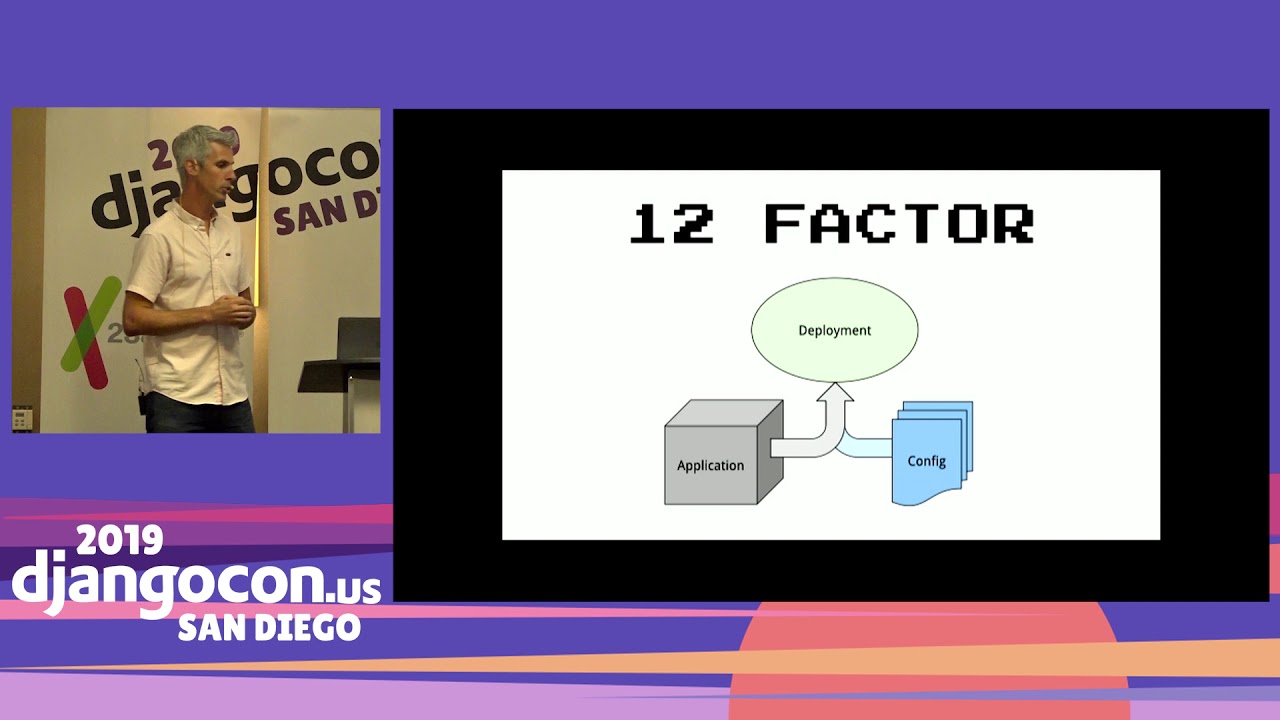
Speaker 1: So this isn't a great option. Another option is environment variables. So this is kind of the 12-factor method of building apps. You create your application application and then you use environment variables to configure them. That's a viable solution. There's another one. This is another project I've been working on. with uh Chris Bevan as well. It's called GoodConf. So what GoodConf does is it lets you define a set of variables that you might want to change. And this isn't Django specific, it's would work with any Python application and you so you create your um your kind of configuration and it might be your database URL or your API keys and that kind of thing.
Speaker 1: And then you can define that in a JSON or YAML file, some sort of structured format that's easy for a build tool or a configuration management system. to uh pump out and then uh your Django app will pick up that those files and read them. One of the things I I really like about this is it lets you document all those variables that You're using to configure your app, which with environment variables they kind of tend to get added willy-nilly and people don't ever uh you know, know which ones are available. And uh the other thing is uh this will fall back on environment variables too. So uh I can take my same project and run it you know the way I want to with uh um with uh configuration file, but um
Speaker 1: I could also run it on Heroku or in Docker where environment variables are kind of preferred. And uh I don't know if I mentioned this. I I I think I skipped it, but the the other concern with environment variables is uh it's really easy to leak them on axis. You can have a you know a program crash and it dumps out your environment somewhere or uh child process runs and it now has access to your environment. So by putting them in a a file instead, uh I would argue you get a little better security. So now kind of going back to this pipeline, the Docker pipeline, how do we replicate that with a zip app? So
Speaker 1: you'd use a continue uh continuous integration system. There's a bazillion out there, Travis, Circle CI, Bitbucket, GitLab, whatever. You build your project. That's that slide I showed you with Pipem and collect static and all that, just like you would with Docker. And you're gonna uh run Shiv which is gonna generate your um Zip app, you'll run your tests against that. So you'll have your tests built in as part of that. So you can ensure again the thing you test is the exact same thing you deploy. And then once your test passed, you push it to some central location that could be Amazon S3 or you know wherever you can pull it down to deploy. And now
Speaker 1: deployment just is download the thing and run it, which is awesome. Like your ops teams are gonna love you for uh you know simple simplifying their life. And it's great for development teams too, because they can kind of take full control over everything in the CI pipeline. Um they you know if you want to switch you were using Grunt before and now you want to use Webpack, like you don't have to your developers can kind of manage that and they know the the the only thing they have to churn out in the end. is this zip app uh to be deployed. So zip apps like aren't aren't looking so bad. Like Python's looking a little better. He's no longer the kind of awkward dude with the bowl cut, right? But that's not all Docker
Speaker 1: brings. What about security? So how do how do we uh get uh you know a similar sense of security here? Well, systemd 's got your back on this one. SysMD is awesome. Like i if you are not familiar with it, definitely check it out. Um it gets uh bad rap in the Linux community. sometimes but it is on every modern Linux distro. You know, learn it, use it, love it. So uh well I'll I'll mention quick uh if you're not super familiar with System D, uh it's how all the services on your Linux machine start up and run and stop and restart and all that. It manages that. And the way you define a service is
Speaker 1: via a service file. And You tell it what command you want it to run and you can give it all sorts of other flags that uh tell it how you want it to run. So I'm gonna give you some that are gonna uh deal with security. uh you drop these in your service file. Protect system strict uh that will make your entire file system read only. So you You know, right off the bat, it's super easy. Like now if some in in the scenario we're protecting against here is some nefarious user has hacked your application and is now trying to run commands. you know, on your host system. Uh so we've now made the entire file system read-only. They can't create any files or edit any files.
Speaker 1: There's uh protect home equals true. That just basically removes any home direct removes any access to any home directories. So even if somebody has like the bad permissions on their home directory, like they can't access it. Dynamic user equals true. So best practice is that you run each service as its own user. That way one service doesn't potentially gain access to things another service service is doing. Usually you would you know create these users as you set up the services. Dynamic user equals true, just tell systemd like, hey do that for me. Like just create some user, I don't care who it is, and uh you know when the service is done. you can remove it. There's capability bounding set. So uh this is probably familiar if some of you have used Docker quite a bit.
Speaker 1: This lets you determine the capabilities, uh the kind of Linux capabilities that uh the process has access to. Um the tilde means like negate it. So this says my service cannot do anything in the capsys admin group. So that basically is removing like kind of root-like uh abilities for anything the service is doing. And there's a whole bunch of others too. So I could create a app armor profile that gives you really, really fine-grain permission control. And there's these which uh the systemd docs recommend adding. Uh I'm not going to go through each one. Private temp is an interesting one. That's like a attack vector. You see sometimes where two services are both writing to a temp directory, one service gets hacked, and it starts reading what the other service is doing in the temp directory and gains some sort of interest.
Speaker 1: interesting thing it shouldn't through that. So this will bind mount a a uh private temp directory for every service. Another thing interesting, I don't have time to talk about it, but one of the kind of uh things that people really like about Um things like Kubernetes is the ability to do rolling deployments, blue-green deployments, where you have one version of your software running and you want to run a new version. This has typically been kind of a pain point for the Python community in that kind of reloading and getting the new service running as your project gets bigger, it takes longer for you to start up your service. And it's sort of difficult to do that dance where you take one service down and bring the new one up without any downtime.
Speaker 1: And sort of the common practice these days is managing that via your load balancer or something. where you bring both both ends up. You've got your your blue version, your green version. They're both running side by side for a moment. Once your new version kind of passes health checks and is happy, you drop your old one out and then you just point all your traffic to your new one. If you're interested in it, you can do this with system D on a single machine without having to orchestrate and coordinate with load balancers or use something like Kubernetes. I don't have time to go into it, but I'd be happy to kind of show somebody um uh after the talk. Uh isolation, that was the other thing we mentioned uh was cool about Docker. So um how do we handle that? Yeah I'll be frank, it's not as good.
Speaker 1: Uh you still need to install Python globally. Um if you're using Python packages that are referencing you know libraries on the server Um there's a chance you may need to install those. You don't need the development packages, but you may need the library itself if you don't have these wheels built for all your packages. But that being said, it's really easy to install multiple Python versions on a server. If you're using Ubuntu, there's a personal package archive called Dead Snakes. can easily install 3. 6, 3. 7 , 2. 7, whatever. They'll all happily live side by side. So yeah, Docker 's got better isolation, but it, you know. At the end of the day, do you really need it? Especially if we're you know kind of um
Speaker 1: bundling our apps in this way. And then how about parity? Uh what that was kind of the last thing my original slide is uh you get this parity from your development sheet machine all the way to production. In this scenario you're still going to get it from your continuous integration system all the way to production That's probably the important bit. As far as locally, you can use Docker. It's a great use case for Docker to run uh uh image that's the same as your deployed machine or not. Like you know we have lots of developers that work on Macs and deploy to Linux and that's generally you know something you can do these days. without uh being terrified that uh you know the world's gonna break.
Speaker 1: So pros and cons to this approach. Like I hopefully I've showed you at this point. Like you can deploy a single file Python project. Pros to this. It's simpler. You don't have to put Docker on your server. You don't have to manage a Docker registry or pay somebody to manage one for you. And you are now depending on about a million less lines of Go code. My guess is for most people when something breaks with Docker um it's like a oh crap moment. Like I have no way to debug this or deal with this on my own. Hopefully somebody else has dealt with this and I can Google it. Uh you get smaller artifacts, so we're not bundling the entire OS. If you uh
Speaker 1: If you are building Docker images kind of naively, it's not uncommon to have a gig or two gig Docker images. With this, you're probably looking more at like 100 megs or something like that. Depends on your project. Because your artifacts are smaller, your deployments are faster. It's a big difference deploying uh you know a hundred meg artifact versus a two-gig artifact. And then finally, it's just Python. Like there's not a whole lot of magic going on here. There's not um a million lines of Go code that you're dependent on. on. So uh when things do break you can look under the hood and figure it out. Um shiv is a very simple project. And I just realized I didn't really explain how Shiv
Speaker 1: uh works, so I'll I'll give you that really quick. So uh what what Shiv does is uh it takes all your dependencies or your site packages directory. It uh puts it into the zip app , the zip file, along with like a small bootstrap script. And when you execute the zip app, it will uh unpack the your site packages and then uh basically inject the path where it unpacked them into your Python path. So it's the first thing that gets picked. up. You can read the code and understand it and it's not terribly difficult to understand. The second time you run it, it knows where that kind of temporary cache it created is, and so uh it
Speaker 1: doesn't need to unpack them the second time. Uh cons. So uh it's not as isolated as true containers, that's true. It requires Python being installed on your server. It's Python specific, so Docker you can use with any number of languages and uh it'll work the same. Uh not so with this. And it's not cross-platform compatible. I mean technically Docker isn't really either, but uh you can't build stuff, uh you can't build a zip app with C extensions on your Mac and ship it to Linux. But you could build it in a Docker container that is Linux on your Mac and send it that way. So
Speaker 1: what's the sweet spot here? Docker, my my my if he takes away anything from this talk, Docker is not for everybody, and uh this solution certainly isn't for everybody. I would say if you're pri if you're deploying primarily Python services, uh you've outgrown platform as a service. I'm a huge fan of platform as a service. Things like Heroku , Python Anywhere, all these options out there, it should be where you're starting when you're looking to deploy stuff unless for some reason you are like super interested in learning these things. Um these kind of uh tools you don't have to worry about it they deal with it for you. But people tend to outgrow them.
Speaker 1: Like they either find like at some point it makes more sense from a financial perspective to bring these things in-house, or they need more flexibility than they get with uh w with one of these options. And this is an arbitrary number, but I'm gonna say if you have fewer than fifty services to maintain. So if you have a hundred services, a thousand services. Something like Kubernetes is is probably where you want to be. It's kind of the it's designed for doing exactly that. But most people aren't Google scale. Most people are not deploying hundreds of Google And thousands of service services. Most people are deploying one, two, ten. And at that scale, the payoff might not be there.
Speaker 1: So, next time you're faced with a scary deployment scenario. I hope you remember there are multiple options. Docker is is is a great option, but Python is not so bad on its own. And you can certainly uh have you know these secure uh single file um deployments with Python. So thank you. Hi
Speaker 2: Pete. Thanks very much for the talk. entirely or AWSlammed or Azure functions or or whatever.
Speaker 1: I I haven't yet. But uh yeah that would be interesting.
Speaker 3: I noticed that uh in the configuration setup. py you uh uh uh exposed manage. py. I was wondering for use with uh mod WISGI if there might be any way to expose uh do you have to expose whiskey. py in some way in the zip? Is that a possibility?
Speaker 1: Right. So uh the W the way I've been running uh the WISB applications with this is by wrapping it in a uh management command. So uh I call I can still call the management command and then that executes uh the WISGI application. Um another option would be to change the uh entry point via uh so you would install um You know, I'm not super up to date on how uh ModWisgi works, but I bet Graham has lots of ideas on this. Yeah, uh so you you could execute other you could include other uh servers in your um zip app, assuming they're Python, and uh
Speaker 1: adjust the entry point to run those uh if you wanted to. Thank you.
Shiv creates a zip application containing the project and its dependencies, along with a bootstrap script. When run, it unpacks the dependencies into a cache and adds them to Python’s path; later runs reuse that cache.
Discussed at 12:38Package the Django project properly, include its dependencies and non-Python files, add a production web-server entry point, and use Shiv to build a runnable Python zip application. The deployed artifact can then be downloaded and run with Python on the server.
Discussed at 13:24`find_packages` only includes Python modules, so add a `MANIFEST.in` file and use `graft` for the collected static-files and template directories.
Discussed at 14:59Make the application’s entry point start the production server rather than having the server import the application. One option is a custom Django management command that launches Gunicorn with WhiteNoise, while `django-pyuwsgi` provides a management command and packaged uWSGI library for running uWSGI this way.
Discussed at 15:49Avoid modifying or injecting settings into the frozen application. Use environment variables or a structured JSON/YAML configuration file such as GoodConf, keeping secrets outside the project and allowing the same artifact to run in multiple environments.
Discussed at 20:31Build the application in continuous integration with locked dependencies, build the frontend and collect static files, create the Shiv zip app, and run tests against that exact artifact. After the tests pass, publish it to shared storage so deployment is just downloading and running the file.
Discussed at 23:37Use systemd service settings such as `ProtectSystem=strict`, `ProtectHome=true`, `DynamicUser=true`, capability restrictions, private temporary directories, and optionally AppArmor. These make the filesystem read-only, isolate home and temporary directories, and reduce the process’s privileges.
Discussed at 25:28It is a good fit for primarily Python services when a team has outgrown a platform-as-a-service offering but maintains relatively few services—roughly fewer than fifty. Docker remains useful for stronger isolation or multiple languages, while Kubernetes is more appropriate at much larger service counts.
Discussed at 34:37Note: We understand that names change, people change, and bodies change. We respect each individual's journey and privacy. If you have any concerns about a video or need us to remove content, please don't hesitate to contact us. We will handle your request with care and promptly address any issues.

Published July 15, 2026

Published July 15, 2026

Published July 15, 2026

Published July 15, 2026

Published July 15, 2026

Published July 14, 2026