
0:46:41
High Performance Django at Ten: Old Tricks & New Picks with Peter Baumgartner
Published October 23, 2025
This video features Peter Baumgartner at DjangoCon US 2019 in San Diego, California, USA.
DjangoCon 2019 - Prepping Your Project for Production by Peter Baumgartner
Django does a great job following the Python aphorism:
There should be one-- and preferably only one --obvious way to do it.
...until it comes to production deployment. This talk will lead users through the myriad of options to a production environment that is secure, stable, and easy to maintain.
This talk was presented at: https://2019.djangocon.us/talks/prepping-your-project-for-production/
LINKS:
Follow Peter Baumgartner 👇
On Twitter: https://twitter.com/ipmb
Official homepage: https://lincolnloop.com/team/peter-baumgartner/
Follow DjangCon US 👇
https://twitter.com/djangocon
Follow DEFNA 👇
https://twitter.com/defnado
https://www.defna.org/
Intro music: "This Is How We Quirk It" by Avocado Junkie.
Video production by Confreaks TV.
Captions by White Coat Captioning.
Peter Baumgartner lays out a practical path for taking a Django project into production while keeping the system simple, stable, secure, performant, and observable. He compares hosting choices, recommends managed services for databases and other stateful components, and explains how to handle configuration, secrets, web serving, static and uploaded files. He then covers production performance, dependency and environment security, admin protection, error reporting, log aggregation, monitoring, and alerting, arguing that good defaults and managed tools usually outweigh the apparent savings of running everything yourself.
Summarised automatically from the transcript.
Automatically transcribed, so expect mistakes in names and technical terms.
All right, thank you. I'm Peter Baumgartner, founder at Lincoln Loop. We're a Django consulting and web agency. So we build Django sites for clients and help clients with deploying and designing and tuning and all that stuff. I've been doing DevOps and sysadmin for a lot of years. So I've been deploying Django sites for a long time, kind of seen things that work, things that don't work. It's a dangerous world out there. There's lots of pitfalls, and so hopefully this talk kind of helps you avoid some of that. those. Real quick on my philosophy, generally we're going to try to keep things as simple as possible. The fewer moving parts the better. the the kind of less technology that of somebody
somebody else that you have to depend depend on the better. But we do want to maintain uh Stability, security, performance, and observability, which is kind of a fancy word for you want to be able to see what the heck's going on with your application, logs, response times, errors, things like that. So this is the the basic talk overview here. We're gonna go through on the left side we've got kind of all the things that are necessary just to get your application up onto a server somewhere. And then on the right side, we're going to talk about kind of next steps from there and other considerations you want to think about. So first up is hosting.
I'm gonna take this talk from kind of assuming that you don't have a lot of experience with this, you just want to get your application running on the internet somewhere. There's a bazillion different options. The analogy I'm going to use is like you're a business and you need an office to operate. So what type of office do you choose? First up is platform as a service. This is like a co-working space. You can walk in with your laptop and you're like up and running. That's it. Platform as a service, you bring your code and uh that's it. There's a bunch of providers that offer this. Heroku is kind of like the the uh most popular one but uh lots of other ones. Pros with this approach are
they handle all the servers for you. This is kind of the original serverless platform. It's you know managed and monitored, all that stuff. It's supported, so you can call and ask somebody or you know send in an email and ask for help specific to your application stack, which is uh kind of unique. It also may include backing services like your database and cache. You might be able to just click a button and have one of those where some of the other options it's not quite as easy. Cons , it's you know you you may be sharing infrastructure with neighbors most likely. Um performance uh could suffer a little bit there. Um You generally have to kind of operate inside whatever framework they give you, so you may have less flexibility. And I put cost
with an asterisk next to it because I'm sure the monthly cost on this option might be more, but if you account your time of setting up servers, maintaining servers, managing servers, things like that, this cost can be really attractive. unless you don't value your time at all. So next up functions as a service. This one's really popular right now. Serverless platform. This is more like maybe renting an office. you still don't have to deal with the office building, but maybe you have to you know figure out how to get a desk in there and things like that. AWS Lambda is the real popular one you hear about. Zappa is a great way to kind of get code up onto AWS Lambda. and other providers have similar offerings.
So pros and cons here again, it's managed, monitored, they handle all the server stuff. You don't have to worry about that. Uh it can be less expensive. The pricing's totally different. So these are generally priced per request and the amount of time the request takes. So you could spend more, you could spend less often. In the grand scheme of things, these are really new platforms, so there may be rough edges getting Django to run on it. you know, it some of the things that you might expect to work normally um may not, or you may need to kind of jump through some hoops to do things like getting an interactive shell to run commands against. Performance and cold starts can be a concern on these platforms, so make sure you understand that before choosing one of these.
Your code may not actually even be running when a request comes in, so it needs to start up and that can take time. Kubernetes is one that everybody likes to talk about these days. I put managed on here. I would strongly recommend not managing your own Kubernetes service. And the only time I think that makes sense is either you have some in-house staff who knows how to do that or you want to learn it and understand it. for whatever reason. Otherwise, let somebody else deal with managing it, updating it, all that stuff. This is more like renting an entire office building. You get lots of suites and you can do whatever you want with them. For a lot of people, I think this is what Kubernetes look like
looks like. This is uh running your blog on Kubernetes. Um It's uh it's overkill for a lot of use cases. If you have one or two services, Kubernetes is um probably more than what you need. Uh So I would kind of steer clear of that unless there's some reason in your you know business or whatever that um you're going in that that scale. So again, with the managed options, you've got it all managed, monitored, secured. Cons are you have to know how to use Kubernetes, which is a non-trivial thing. thing uh to need to know um and it's it's probably overkill in in most folks use cases And then finally, unmanaged self-hosting. This is basically you get a server somewhere and you get to decide how the heck you want to set up your app, if you want to use Docker
or whatever. Uh this is super flexible. You get to do whatever you want. Um cost uh at least on the surface looks low because um it's cheaper to rent a server than to uh you know use something like Heroku but again uh account for your own time um cons of this are you have to deal with everything that they were dealing with for you, security monitoring, all that. I think a big one that people don't think about in this scenario is documentation and training. So if you're in a business and you want to spin up your own unique custom stack, Uh you may have a hard time finding other people that can manage and maintain your unique custom stack. Um whereas if you're on a platform as a service, generally Generally
you can find somebody who knows it already, and if they don't know it, you can point them to somebody else's docs that are managed and maintained to move forward with that this is kind of the like building your office from scratch like with the wood and the saws and all that uh approach And again, if it's something you want to learn, if it's something you're interested in, yeah, great, go for it. If you're looking for an easy way to deploy your project, I would steer clear of this. So far we've talked about hosting your application, but generally Django applications don't run in a vacuum. They need a database or a cache or someplace to or files. So we we call those backing services,
and those often hold the state of your application, the actual data that it depends on to run. run. Unsurprisingly, I'm going to recommend use managed services for these, like even more important than your application. If your application goes down, like yeah, it's a bummer, but you can spin it back up. If your database goes down and you lose your data, it could be game over for you. your business. So let somebody else dealing deal with making sure it's up and running, making sure it's backed up, making sure it's running the latest version, all that stuff. So every provider offers the managed services you need out of the box for the most part, databases, object storage, which is kind of just fancy. for someplace to put files.
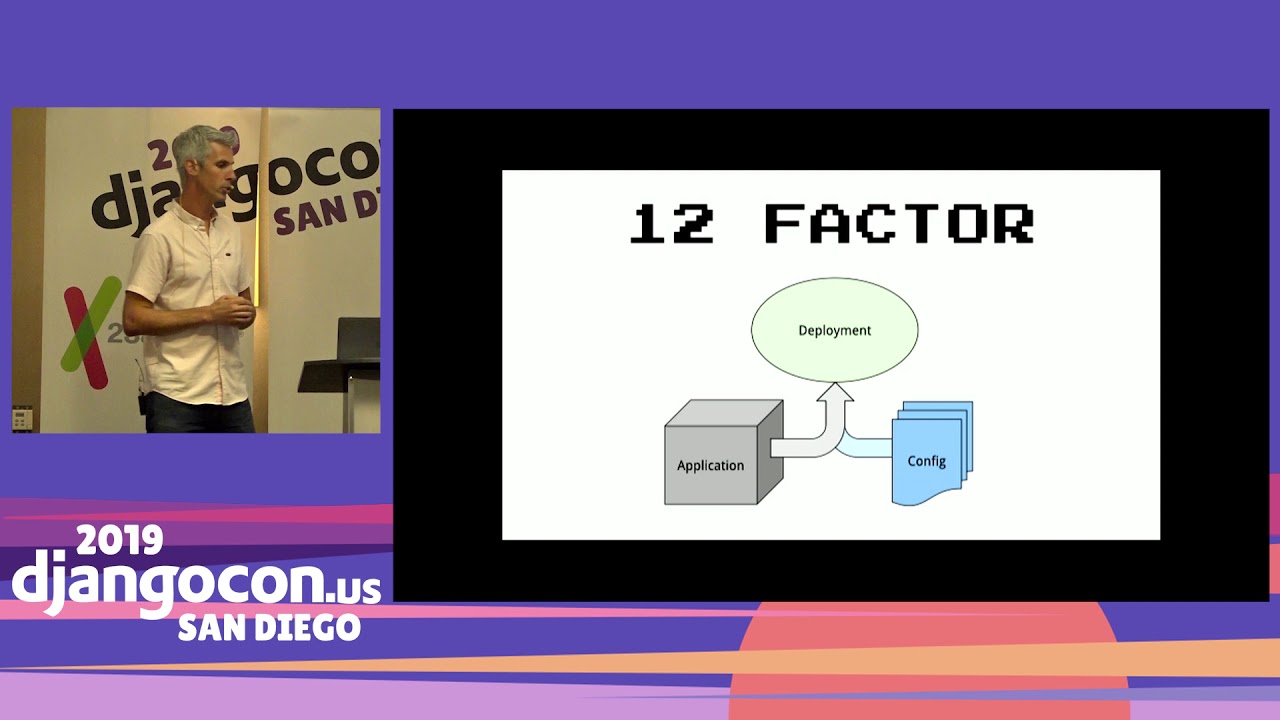
Email, generally you just need like an outbound SMTP server. Um Elasticsearch and Redis are maybe somewhat different in that generally you're not holding your primary kind of single source of truth in Elasticsearch and Redis. So if one of those goes down, you can repopulate it from your database. So maybe not as important to use the managed service there, but still they're out there and those work really well. Okay, so that's hosting. Uh let's talk about configuration. The general kind of accepted way to do configuration is the 12-factor application configuration method where you've got your application
and when you deploy you bring in some some set of configuration and those go together and kind of make your deployment environment. The most popular way of doing this is environment variables. There are maybe some reasons you don't want to use environment variables. If you kind of read around there are potential security concerns with environment variables. Another option which I prefer is a configuration file. So some sort of machine readable file, whether it's YAML or JSON that you can produce and your application can read in. You'll also see people doing this where they've got multiple Django settings. Here's my Django setting for production, here's for staging development. I'd recommend against this approach.
For one, it's not dynamic. So if you want to do things like review apps where you have kind of ephemeral instances that you spin up for a branch. and they live as long as the branch does and they get QA'd and then torn down. You don't really have any sort of dynamic way of managing that in this scenario. And then it this scenario kind of encourages you to put secrets like your database passwords and API keys into your Git repo or wherever you're hosting your code, which is bad. Never put secrets in your code repository. And I I say unencrypted because there are ways you can put them in your code repository repository encrypted which are uh safer. So um secrets, yeah, like things like API keys, database paths.
You don't want them someplace where they're easily leaked. You may not even want some people on your development team to have your production database. password so it's keep those out of your code repo. As far as options for configuration, kind of where to store your configuration. If you're on a platform as a service, generally that's baked in. You just uh fill out a web form or um you know manage something on the CLI and those variables are handled for you in you know hopefully a secure manner. Uh if you're using Amazon, they have something called SSM. uh simple systems manager which uh it's not really obvious but it can store secrets there's a tool called chamber that can pull those secrets out of SSM
and inject them into your application either via environment variables or the configuration file that I mentioned. If you're on Kubernetes, it's got its whole thing to do that. If you're using a self-hosted option and you have a configuration management tool, hopefully, that's managing your servers. You can often store them encrypted in there. Pretty much every configuration manager has a way to store encrypted data and decrypt it on deployment or. when you push code out. And then finally there's HashiCorp Vault. That is like a whole service that you can run that manages secrets. Again, if you're kind of just starting out, I would steer clear from this. You don't need more stuff to manage, you need less stuff to manage. If your
you know companies are already using it or something like that, then yeah, that's a great option. Uh so how do you work with these in Django? Um you know it's it's pretty easy to pull in environment variables. Uh or something like that in your Django settings. But there's some drawbacks. And we wrote this project called GoodConf. You can just pip install GoodConf. and it will handle things like uh are are your environment variables or sorry is your configuration coming from environment variables or uh from a file? It'll handle typecasting for environment variables. So when you when you read an environment variable in Python, it's always going to be a string. You can say this one's a Boolean, this one's a list, this one's
an integer and have that handled correctly. And then the last two items on this I really like are you can auto-generate both documentation and sample configurations. So generally when people start using environment variables, they kind of just scatter them throughout their settings file and You may not know, you know, there's no documentation as to what what each one does and where they are and all that. So this handles that for you. So you uh to use it, you just create a class. Um you could put this in like a config. py file in your project and you define all the the bits of configuration. It's worth noting kind of like Uh so Jenger already has this concept of settings, but uh
most of the settings in your project probably don't change for each individual environment. your installed apps and your middleware and your templates and things like that, those are generally going to be the same across all your environments. I would not consider those configuration. Configuration are the things that that do change. So you may want to run, you know, you're going to want to run against different databases in all your different environments. So this is where you put that data. So you can create the class, you instantiate it, and you also, if you want to load from files, you can tell it files where it can load from. And then in your settings, you just load that config object and you can access attributes on it for the
different items in it. So that's configuration. Next up is your web server. So uh Django run server, manage. py run server is not suitable for running in production. There are generally two other web servers that people use. Well there's a lot of other ones, but generally you see two, GUnicorn and UWISGI. The primary difference between those is the amount of configuration they offer. So GUnicorn has about 65 different flags you can set, configuration options. UWISGI has 931. So like you really can do a lot of stuff with UWISGI, but um
with all that means it's more complicated. The docs can be um Challenging at times and uh so if you're just getting started, I would recommend GUICorn. Um running a project with uh GUICorn looks like this. Um You just point it to your WISGI module and you give it a port and you set a number of workers you want to run. So this is how many kind of simultaneous processes are running that can serve requests. I also strongly recommend running uh setting a timeout whenever you deploy your application. So uh one of the risks here with with uh you know we're running four workers if you're responding to requests in 100 or 200 milliseconds um you can serve a lot of requests with just four workers
If you're responding to requests in 20 or 30 seconds, that becomes a really big problem. It's really easy for a single user to do a denial of service attack on your application and basically take the whole thing down. So if you have, you know, even though when you first deploy you may not have any slow views as you get more data in your application, as new code gets pushed up, you may get views that kind of act pathologically and it's better off to kill those requests up front rather than letting them run and block all your workers. So in this case we've got a timeout of uh five seconds. that that any requests that last more than five seconds will get killed and leave the uh refresh that worker to to serve another request.
With timeouts you want to make sure you have some way of monitoring and knowing if if that's happening. So a similar config in UWISGI. If you're using a virtual M, you define that. Other than that, it's the same things. You just different names. If you do use UWISGI, also check out there's a project on PyPI that we built called PyUSGI, which lets you install UWISGI as a wheel. And it's a mini Linux wheel, so you can install it on Linux without needing to compile it or install any sort of development headers or anything. So it can speed up your deployment process.
Okay, so that's um your web server. Next up is uh our assets. So Django defines assets um under these two names static and media, static being your CSS, your JavaScript, media being dynamically generated stuff that happens on the server. Um for serving static assets, white noise is uh the easiest way to go. Um you uh generally you want your application to be self-sufficient. You uh it's easier if you don't have to depend on like, you know. I have Nginx serving my static assets. Well, uh on these different hosting platforms, Nginx may not be an option, and it's nice to be able to know you aren't tied to you know you you can move to a uh lambda if you want it or um kubernetes
uh or whatever so um kind of letting your application serve all its own assets uh is is actually a benefit fit, I think. So white noise is really easy. Pip install white noise, you change your middleware and your static file storage, and then Django can reasonably efficiently serve your static assets. If you're using UWISGI, you can basically do the same thing. So you set this manifest static file storage. Uh what that does um and and White Noise does this too, is uh when you use the static template tag, it will include a hash of the file in the file name. Um that means that that file, uh the URL is now
unique for that contents of that file and you can cache it forever, which we'll talk about in a little bit. So uh that static file storage does that. Um you then run your collect static, you gzip everything in your collect static, uh, and um you can run UWISGI with these options. So So uh uh it'll serve Gzip content uh to browsers that support it. Uh it'll add headers that say, you know, cache this content forever. Um and then the offload threads is interesting. It can actually serve static content out of separate threads than your application. So kind of a little um optimization there. So next up is Node.
js uh stuff. Um most Django, maybe not most, but many Django projects these days are using Node. js in one way or another. either to build JavaScript bundles or compile CSS. There's a great talk by Jacob Kaplanoss from. PyCon last year, I think, that goes into this much more in depth. But the the general practice is store those source uh files in your version control when you go through your build process, which uh may look different depending on the platform you're on. If you're on Heroku, um you they when you push code to it it goes through a build process. You can use that on Heroku you can use a Node. js build pack in addition to your Python build pack that'll call whatever system you're using, Webpack, Part
parcel, something like that to generate all those files and the location where those files are generated, you put that in as your uh into your static files directories in the Django settings and uh at that point you can just serve them like any other static uh static assets so it's it's pretty straightforward um you you kind of like let uh the the node ecosystem handle all the building of the files and the Django ecosystem handle the serving of the files. If you're doing fancy stuff like JavaScript bundle splitting um you can add Django webpack loader into the mix and it can do it can figure out where those different bundles live and how to serve them. Media is the other one.
So media, this is dynamically generated content in one way or another. Might be a user uploading an avatar, it might be you generating a report. specific to somebody. Django storage is is generally the way you want to do this. You don't want to store these files on your file system if you even have a file system and some of these hosting options, you you don't really have uh reliable access to a file system that's always going to be there. So uh starting by uploading this stuff to um S3 or some other kind of cloud object store is the way to go. It maintains keeps your options open for kind of how you want to host your application in the future. One caveat with this is to be careful with public versus private files. So
in the use case I mentioned earlier, an avatar is public, like anybody can see. another user's avatar, if you're generating a custom report that's specific to a user, you don't want to load that up onto S3 in a public bucket. because anybody can read it. So what you can do is set up multiple storages if that's your scenario and store your uh store your objects, you know, being careful about which storage you use to store your objects. objects. These three settings here are uh what you would use on S3 if you're using S3 as a backend which is probably the most common one. The default ACL is public read, so you can change that. And then you can use this query string auth which which lets your application generate a custom URL
that expires in some point in the future So you you only give that URL to the user who you've already determined is allowed to use that URL. And then it sort of self-destructs after some amount of time. So that's how you handle private files. Okay, so uh at this point um we we've covered all the basics. You can go live. Uh That's kind of all you need. And no matter what, if you've done this, no matter what option you choose, you have kind of some flexibility. I wouldn't say you're very locked into you know a certain provider at this point. So You know, you can I I if you're if you're just starting out, I'd recommend starting on a platform as a service. And
you know, perhaps at some point in the future you outgrow that and you move to something else, but you're in a good place. To do that if you've kind of taken these steps. So the next part of the talk is going to be maybe a little bit more abstract and just talk about other kind of considerations you need to make as you uh run your application in production. So performance is the first one. You can't measure performance. You can't do anything with performance unless you can measure it. And the way you want to measure performance is using an APM. application performance monitor. New Relic, Scout, and Datadog, I all have great options. I've used all these in in one way or another and I think that's probably
your best bet. There's other options. AWS, if you need to help self-host the data for some reason, Elastic has an APM. The next performance thing most people notice is the database. And it's uh don't be surprised if you push your project out to production and you find out it's actually slower than it is runs on your laptop. Modern laptops are really fast and there's two other things that come into play. One is network latency. So if you're comparing running your database on your laptop and your application on your laptop versus running your application on a server and your database someplace else on another server, there's latency on that network connection that
is noticeable. Uh and then the other is the size of your data set. So if you're working against a hundred rows in your database in your uh developed environment and you have a million rows in your database in production, those are going to behave very differently when you query them. And a million rows uh with a hundred rows you won't really notice if your data is poorly indexed. Uh you will notice that uh with a million rows. So um those kind of problems sort of start to pop up. More on the database. If you're unsure what database to use, use Postgres. It's kind of the sanest default. If you have a really good reason not to use Postgres, that's fine. If you've got a MySQL DBA in-house at your business, then
Postgres probably is not the best choice. MySQL SQL is better. I would steer clear of SQLite, which is actually a really great database, but it sort of breaks this idea that you can potentially horizontally scale your uh application across multiple servers at some point in the future. With SQLite you're sort of tied to the file system where the SQLite database lives. As you uh if you want to kind of tune your database further, the the first and easiest one is this connection connect connection max age setting. By default, Django will open up a new database connection for every request that has to do uh SSL uh negotiation potentially and
also authenticate with the database. Uh it's not uncommon to see 20-30 milliseconds spent doing this. So setting this will let it uh share that connection with um multiple requests and save some time time right off the top. Next up is reducing queries. So your APM should show you how many queries you're running on any individual view. If you're running hundreds or gasp thousands of queries you have a problem. So things like select related and prefetch related can generally help with that. A lot of times that's just uh uh quick change on a a query and you can get you know if you're doing something in a for loop it's easy to go from uh 101 queries to one query.
And the Scout APM actually has a really good tool for detecting these sorts of situations where these options will help. And then finally, I I don't have time to go into it, but database indexes are huge. So if you have a query that's running very uh slowly, it's it's very possible that uh you just need to add an index to a specific field you're querying on. Um and And you can use db index and index together to add those. My unsung hero of performance in uh Django as template fragment caching. This is where you just take a section of your template and you wrap it in these cat in this cache tag and you tell it how long you want to cache it for and it will serve that out of cache after it's
been generated once. Here's an example from a project I worked on this year where their requests were originally in the two-second range. We identified via this is a graph from New Relic that most of the time was spent actually generating the navigation on their site, which didn't really change a whole lot. And it was really easy to it was it was actually difficult to kind of uh cache and validate it because the data came from so many different places, but wrapping it in a cache tag that lasted for two minutes. and um saying, hey, you know, if you make a change, it might take a minute to show up in your navigation. Uh and it was, you know, a 10-minute fix. That was a pretty reasonable trade-off to get down to
200 millisecond response. Next up is the CDN. So um uh CDN is something that sits uh uh between your users and your application and ideally very close to your users. You may hear people refer to this as the edge, the edge of the network. Uh so um what a CDN can do is um take content that your application is serving and store it at the edge near the users and And same thing with the database network latency, cut out the network latency of potentially going halfway around the world. If you see anybody from Australia or New Zealand, ask them how their general internet browsing experience is. It's much different than what you might be used to if you're from the States.
So CDM providers, this isn't something you self-host. It requires being kind of globally available. your um hosting provider probably has one if you're on like one of the big clouds uh third party there's cloudflare and fastly cloudflare has like a surprising amount of functionality in their free version uh It's a really great option. The easiest win here is your static files because we uh earlier gave those all a unique URL. You can tell your CDN to cache those forever. uh user is gonna uh or they're gonna hit the cdn once and then they will be served very quickly to your users. Um you can also potentially cache Django responses so if you have pages that don't change at all or don't change often
You can cache those at your CDN as well. How you do this depends on the provider. It might be that you send up a specific header with the response that says it can be cached. It might be some configuration you do within the specific CDN provider. So that's a real quick overview on performance. Next up security. I almost like feel bad putting this in because it's uh there's a lot more to security than this but this should at least help you uh get started. With your code uh make sure you're monitoring your dependencies for vulnerabilities and Uh as time goes on, we tend to get more and more uh dependencies, especially if you're depending on anything in the node ecosystem.
Uh so doing this in an automated fashion is is really the best way. GitHub security alerts are awesome for this if your code's on GitHub. If not, um I I think some of the other repository providers offer this or third parties that offer this that will basically just scan your requirements and say, hey, there's a known vulnerability for this one. The other step with this is you have to actually act on that and and update that res the update that requirement. Next up is using a lock file. So having uh this this kind of comes out of the box with the npm and node stuff. Uh if you're using pipem or poetry to manage your dependencies, it's all also coming out of the box. If you're just using uh requirements.
txt file or something, you can use pip tools, uh has a has a uh command line tool called pip compile which will take your dependencies and um create a a lock file basically of of all of them. So the the the goal here is uh a couple of things. One is uh You're checking hashes. So if you have if you say I'm depending on Django, you lock that down to I'm depending on Django and this should be the hash of the package I'm downloading. And if for some reason you download a package that does not match that hash, then uh you fail and and throw it out. Um there's a problem. Somebody maybe is you know hacked into PyPI or There's a rogue maintainer or something like that. You want to know about these events and don't want to just like
willy-nilly grab packages from the internet. And then the other one is subdependencies. So you are generally gonna define the dependencies your code depends on, but those dependencies have dependencies. and uh you want to lock those down as well. Uh that prevents kind of the ground from shifting underneath you as you deploy your project in different environments and also provides that hash check checking for those. And then finally, if you are dealing with particularly sensitive information, personally identifiable information, things like that, consider an external code audit. Um expensive, but they're not like you know outrageously expensive. If you're running a business, uh you should be able to afford to do one of these.
So they may be doing uh analysis of your uh uh actual code itself or um some sort of penetration testing of your site from outside. Next up is your environment. So these are kind of Um you could have really secure code and still run it in an insecure manner. So uh I recommend like debug false always. You always set the debug setting as false. It doesn't matter if it's a development environment, if it's on the internet, it's debug false. And you know, developers sometimes complain about this and say, oh, I want to be able to see if there's an error, what happened. There's much better ways to see errors than the debug 500 page. I'll get to those in a moment. minute. The managed check
deploy will check some of the common security settings in Django and make sure that you've set them properly for uh public environment. And then finally there's observatory. mozilla. org. It has a lot of overlap with this check deploy one, but it will basically check that your A lot of the security settings in Django are headers that for things that like you know might prevent click jacking or something like that. This observatory will actually make a request into your app from the internet. internet and make sure that you've got those all set up properly. Authentication. So Django's admin is really awesome. uh and really easy to use and putting it on the internet
is probably not a really great idea. Uh if you have a a Django admin that you're using, the best option is to put it behind. a VPN, put it behind a firewall, somehow lock it down so the general internet public and angry bots cannot sit there and hammer away at the login page trying to figure out out a valid account. In some scenarios that may not be possible or maybe difficult. In that case rate limit it at a minimum. Cloudflare can offer rate limiting. There's lots of other ways to do it. You can actually do it in Django itself. I would kind of use that as a last resort, but it's possible. And then multi-factor authentication is the other one.
So if you have to have it on the internet , use some sort of multi-factor authentication. So So if somebody gets their password, you know, loss in database hack or something, somebody can't use it. to log in. I haven't used this Django 2 factor auth project myself, but it appears to be designed exactly for that. I have done things where just replaced the default authentication with some service that you control, uh AWS Cognito or like a Google Suite, and then you force anybody who's an admin to do multi-factor auth in at that place. Additional things to consider, like I said, there's a ton in the security world.
This scratches the surface. Um SSH, if you are running servers, um are your SSH endpoints secure? Uh are the keys secure? Um Your platform web console is a real easy way to totally destroy your site. So if somebody's uh has a weak password there, uh it's kind of game over. So definitely make sure people are using multi-factor authentication there Domain registrars and emails are a good kind of backdoor method to get into your website, hacking your email and then triggering a password reset or something like that. Backing services is a common one you hear. So like accidentally public S3 buckets, accidentally public MongoDB databases.
Make sure if you can those services are private. If you're on a platform where for some reason you can't have them be private, make sure they're password protected and they're using strong passwords and probably can consider rotating your passwords. And then finally APIs. If you're using the AWS CLI, Kubernetes CLI or something, are those keys secured? Are those rotated periodically when a developer leaves? Are they revoked? So that's security. Next up is observability, which Which covers a lot of things, covers logging, covers uh error reporting, covers uh you know kind of tracking metrics, monitoring.
Uh So first up is error reporting. Django has this really awesome feature where uh it will email you whenever there's an error on your website. This is awesome when you have 10 users hitting your website It's not so awesome when you have 10,000 users hitting your website. Sending out 10,000 emails will both make your application servers very angry and probably your email provider very angry and might get you you blocked. So in general, I recommend kind of flipping this off and not counting on it in production unless you're running a very, very small site. Use something like Sentry or Rollbar. These are much better tools for this. You'll get much more information. Sentry is the one we use. It's awesome. It's built on Django. It's open source, but use their hosted version.
it's not that much and it will save you a ton of headache. This is what I recommend instead of running debug false as well. Generally you can run lots of different projects or lots of different environments on a single instance of this so you could have your dev QA production all these different instances all reporting to century and and your developers can get the error reports there. Logging. So uh you know historically we log um you know data into a server, a file on a server, you can go read that file. This breaks down when you don't have a server or when you've got many servers. So um uh look into how you can kind of aggregate those logs and and access them all in a a single location.
AWS CloudWatch, Google Stack Driver, it's generally built into the big cloud platforms. Um I find those sufficient, I guess. They're generally uh kind of clunky in my experience. Uh I've used Datadogs quite a bit, which I don't know you've probably seen me mention this service uh a few times. Um they really have like a good suite of tools across the board here and um that's kind of what they focus on. And so that's a good option for collecting all these logs. If you're using platform as a service, it's probably already handled for you at least. in the short window. You also want to kind of consider how much time you need these logs for. You might, if you've got for compliance reasons, you need to store this for 30 days.
Make sure you're doing that. because some you know if you're using like a Heroku or something you may not have uh any history in the logs. Uh and next up monitoring and alerting. Again, this is like a little bit embarrassing. There's like whole conferences around this topic. So um this is just like you know uh super brief intro. But uh a few different ways to to look at this if you're doing any sort of self-hosting stuff. You want to monitor your internal stack. How is the CPU on your servers? Are you using too much memory? Are you running out of disk space? Is something thrashing? Like you want to know that stuff. Internally you can be all well and good and still for some reason no traffic can get to your website.
So you also want to have external tests, something that's hitting your website potentially from multiple locations uh that's saying yes you are actually up and and operating properly um and then you need to alert on this data so uh if you're running a larger team you've got like on call schedules and stuff page duty and ops genie are great we use ops genie and are happy with it if you're a single person um just sending it to slack sending it to an sms sending it to an email might be sufficient. And also be careful of kind of monitor fatigue or alerting fatigue here. You don't want to be paging people at 3 a. m. because of something something that's not really taking the site down and maybe not a major problem.
So generally my my philosophy is you know page people when either the site's down or you have like very elevated um error levels. Otherwise Put those into a Slack channel or something and let somebody check it when they're fresh and at work and you know can handle those kind of important things to look at, but maybe not site is down level important And that is everything I have. So yeah, thanks so much for coming. Again, I'm Pete Baumgartner. My slides were done by Joni Trithal at YupGup. She's awesome. She did the DjangoCon stuff as well, I believe. And uh I have a booth out here with Lincoln Loop.
So if you have any questions, I don't know if I'm going to have any time right now. If I do, I'm happy to take some. Otherwise, come see me at the booth. I love talking about this stuff and happy to Um let you prick my brain or uh try to answer anything I can.
For most projects starting out, Peter recommends a platform as a service because it handles servers, monitoring, and support. Managed Kubernetes can make sense at larger scale, while self-hosting offers flexibility but requires you to handle security, operations, documentation, and training yourself.
Discussed at 1:48Yes. Managed databases, object storage, and other backing services handle availability, backups, and upgrades; this is especially important for databases because losing application data can be far more damaging than temporarily losing the application.
Discussed at 8:03Use deployment-specific configuration supplied through environment variables or, preferably, a machine-readable configuration file, rather than maintaining separate settings files for each environment. Never put unencrypted passwords, API keys, or other secrets in the code repository; use the secret-management facilities provided by your platform or configuration tooling.
Discussed at 9:38Do not use Django’s development server. Peter recommends Gunicorn for people getting started because it is much simpler than uWSGI, and he strongly recommends setting a request timeout so slow requests cannot occupy every worker.
Discussed at 15:04WhiteNoise is an easy way to serve static files directly from Django, especially when you want to remain portable across hosting platforms; hashed filenames allow them to be cached for a long time. User-generated media should generally go to S3 or another object store, with separate handling and expiring URLs for private files.
Discussed at 18:10Production introduces network latency and usually much larger datasets, so poorly indexed queries become expensive. Use an APM, reuse database connections, reduce query counts with tools such as `select_related` and `prefetch_related`, add appropriate indexes, and use template-fragment caching where content changes infrequently.
Discussed at 25:05PostgreSQL is Peter’s default recommendation. MySQL can be the better choice when you already have strong MySQL expertise, while SQLite is best avoided for applications that may need to scale across multiple servers.
Discussed at 26:12A CDN caches content near users, reducing network latency. Static files with hashed, unique URLs are the easiest win, and responses that rarely change can also be cached when the provider and response headers are configured appropriately.
Discussed at 29:30Automate dependency vulnerability checks, use a lock file with hashes and pinned transitive dependencies, and consider an external code audit for sensitive applications. Keep `DEBUG` false on anything exposed to the internet, and use Django’s deployment checks and Mozilla Observatory to verify security settings and headers.
Discussed at 31:18Do not expose the admin broadly if you can avoid it: put it behind a VPN or firewall. If it must be internet-accessible, at minimum rate-limit it and require multi-factor authentication.
Discussed at 36:01Use a service such as Sentry or Rollbar instead of relying on Django’s email-based error reporting, which does not scale well. Aggregate logs into a central system such as CloudWatch, Stackdriver, or Datadog, and retain them for as long as compliance or operational needs require.
Discussed at 39:06Monitor both the internal infrastructure—CPU, memory, disk, and other resource problems—and the site externally from one or more locations. Alert urgently when the site is down or errors are significantly elevated, but send less critical issues to a channel such as Slack to avoid alert fatigue.
Discussed at 41:32Note: We understand that names change, people change, and bodies change. We respect each individual's journey and privacy. If you have any concerns about a video or need us to remove content, please don't hesitate to contact us. We will handle your request with care and promptly address any issues.
Published October 23, 2025

Published November 3, 2022

Published November 8, 2018

Published July 15, 2026

Published July 15, 2026

Published July 15, 2026

Published July 15, 2026

Published July 15, 2026

Published July 14, 2026