0:44:19
How to design and implement extensible software with plugins with Simon Willison
Published December 6, 2024
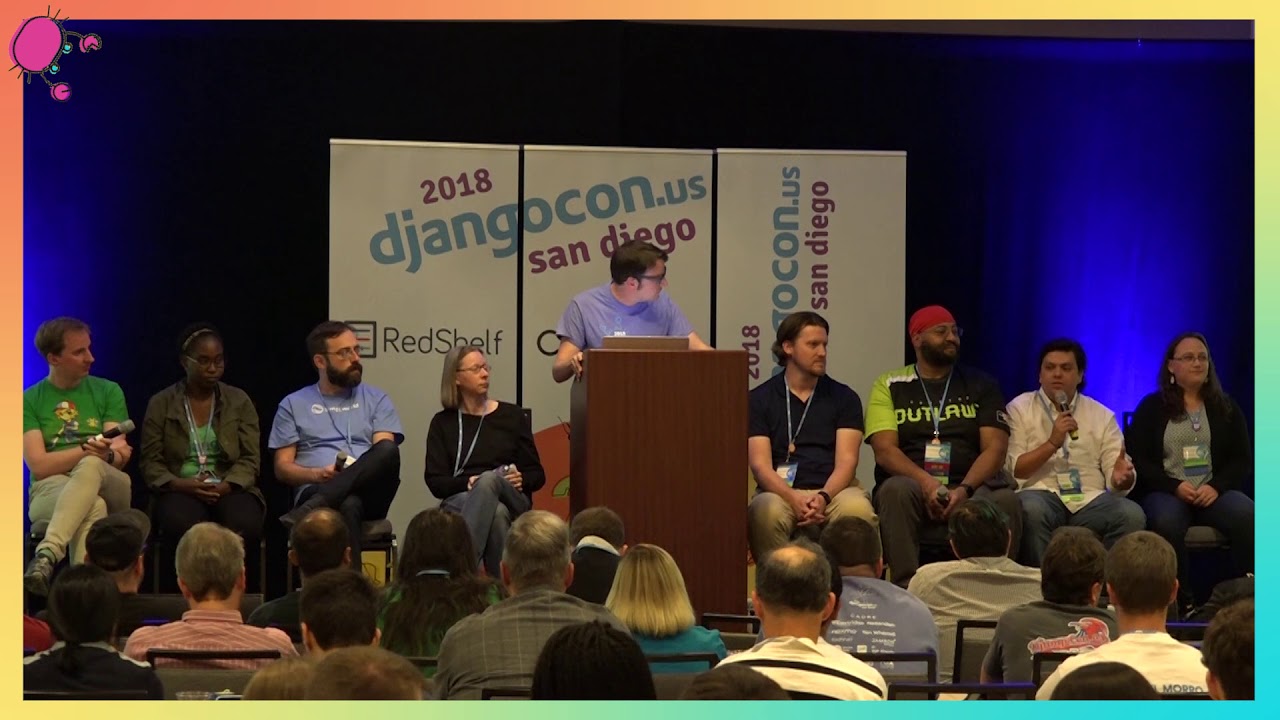
This video features Simon Willison at DjangoCon US 2022 in San Diego, California, USA.

Automated tests and comprehensive documentation help large engineering teams collaborate more effectively. But do they have a place in personal projects as well?
I've found that scaling these large-scale engineering tactics down to my personal projects has increased, not decreased my overall productivity - by a lot! Learn how I'm maintaining over 100 PyPI packages using documentation, tests and a whole lot of GitHub Actions.
This talk was presented at: https://2022.djangocon.us/talks/massively-increase-your-productivity-on/
LINKS:
Follow Simon Willison 👇
On Twitter: https://twitter.com/simonw
Follow DjangCon US 👇
https://twitter.com/djangocon
Follow DEFNA 👇
https://twitter.com/defnado
https://www.defna.org/
Simon Willison explains how comprehensive tests, documentation, and issue notes let him maintain a large number of personal projects without losing context. He treats each change as a “perfect commit”: one independently understandable implementation change, tests that prove it works, documentation updated in the same repository, and a linked issue containing the reasoning, design exploration, decisions, links, screenshots, and follow-up details. He argues that issue-driven development acts as an external memory for his future self, making interruptions and returning to abandoned projects easier, while writing release notes or blog posts ensures completed work is understandable to others. He also recommends starting every project with a test, automating project setup and releases, avoiding side projects that hold user accounts or data, and defining “done” to include explaining what was built.
Summarised automatically from the transcript.
Automatically transcribed, so expect mistakes in names and technical terms.
Speaker 1: Okay, um good afternoon DjangoCon. So yeah, this is talk title is a little bit of a mouthful, um, but I have an AKA for it. This talk is could also be called Coping strategies for the serial project hoarder. And um I have quite a good illustration of this. This is sort of my attitude when faced with an opportunity of a new project. is uh this is kind of my base level of projects. I always have a few going on. But I I have trouble saying no to new ones. So I I do have I have a bit of a problem. This is my It's still going. This is my PyPI profile. I have 185 packages on PyPI. Technically all of these are being maintained in as much of if you find a bug in them And open an issue and I spot it in amongst all of the other stuff going on.
Speaker 1: I am committed to fixing this. So this is quite a lot of software that I have going on. And um the basically The reason and you'll notice that I only opened my profile in 2017. So this is about five years worth of accumulated projects. Um but what I realized is that the approach that I take to managing all of this software is actually based on the approach, on the tricks that I learned working at Eventbrite. I was the director of engineering at Eventbrite for seven eight seven seven years. And these are the tactics that work for a giant team of engineers which during my time of Empire grew grew to cover three different continents. We had engineers in Madrid and Spain and Argentina in Mendoza and Argentina and Nashville and uh and and And San Francisco. And it turns out that when you have engineers spread across this kind of distance, like look at the time zones, right?
Speaker 1: The engineers in San Francisco and the ones in Madrid are not even going to be awake at the same time of day. So you end up needing to have some process you have to evolve towards processes that work. And the thing that works is really good a really good culture of unit testing and a really good culture of internal documentation. And the projects that Eventbrite did that that worked out the best were the ones that were doing that. And so I've been scaling this stuff down, saying, okay, these techniques that work with a hundred engineers across like three continents. What happens if it's just you working on projects and you adapt the same things? Intuitively you would expect this to be a disaster and to make you a lot slower. But I've actually found that um it may it it it's it's managed to sort of speed me up enormously and let me keep track of all of these different things at once. So the model I want to promote today.
Speaker 1: is something that I I I I thought to think of this as the perfect commit, right? And it's important to note that as software engineers, our job is not to write software, our job is to change software. The software usually already exists and we spend all day changing it in a subtle way to do something slightly differently. So the commit is our unit of work. This is what we're about. It is about the changes That we're making to that software. And since that's our deliverable, it's worth us taking the time to pay attention to doing these things as well as possible. So in my model, the perfect commit consists of four things: there's the implementation, the code that you've written. There are the tests that prove that the code works. There is the updated documentation that helps explain that code to other people. And crucially, there's a link to an issue thread as well, which you can do all sorts of other stuff in, which I'll talk about in a moment.
Speaker 1: So here's an example I found just a recent commit I made to my dataset project. And here we go, it's it's illustrating this idea, right? There's changes to the implementation. There's some documentation updates, two places that were affected, and there's a bunch of unit test stuff that demonstrates that works. And then in the commit message, I say closes issue, whatever that number is, and tie it, link it to a to an issue That's going on. So I'm going to dive into these in a little bit more detail. I mean, there's not much to be said about the implementation, right? Your commit should change something. Crucially, though, it should only change one thing. And the definition of thing is very vague, right? There are it's it kind of varies on a case-by-case basis what it means for a commit to make a single change. But really, it should be a single change that can be documented and tested and explained independently of other changes.
Speaker 1: So again, not a huge amount to say about that. The testing, this is the the the the goal of the tests that accompany and commit are to prove that that implementation works And that's very easy to tell if those tests are effective because you apply the implementation and the tests pass. You remove the implementation and the tests fail. That's pretty straightforward. And that that's really the job here. It's to to demonstrate, to prove that the that the change that you've made actually does the thing that you want it to do. What's interesting about this though is um if you tell people they need to write tests for everything. Most quite a lot of the time people are like, that is too big a burden, right? That is that is a a lot of additional work that you're requesting from me. But I find that if you start a project with a test, Adding incremental tests is actually pretty
Speaker 1: pretty lightweight, right? The hard bit in testing is getting that testing framework up and running, getting your sort of your your fixtures, your objects under test in place and all of that. That's a fair amount of work. But once it's there, adding new tests becomes really easy So a personal rule I have is that every project I do starts with a test. And a test can be assert one plus one equals two. That's completely fine. What matters here is that you can run PyTest to run your test suite and you've got somewhere that you can add new tests to do. As you start growing. Because incrementally building a test suite doesn't take much extra work. Anyone who's ever tried to add tests to a project that's already been around for 12 months will know that adding tests to an existing thing is a much, much heavier lift. Um so what I've been doing there is um I have uh
Speaker 1: I have cookie cutter repository um cookie cutter templates. for the three types of project that I write. Most of my work is either a Python library or it's a command line utility built using the click uh command line framework. So it's a click application or it's a plugin for my dataset project. And so I've got three cookie cutter templates, one for each of those, which anyone's welcome to use for their own things. And I'd say probably 90% of the projects I do start with one of these templates. And every now and then a new better way comes out of doing things, so I upgrade the template next time I use it. But I've got another trick on top of that which is quite fun where I figured out how to use GitHub actions and GitHub repository templates to execute these things. So it's possible to set up a
Speaker 1: it's possible to have a template a a repository on GitHub where you can say use this as a template and it gives you a form. And then I've set it up so if you type in the name of a Python package and a one-line description, when you click click that button at the bottom, it will create that template, then it will run cookie cutter to create the README and the license and set up the directory structure in to all of those bits and pieces. And so about 15 seconds later you've got a starting point for a new Python library or a click application. I should have mentioned at the beginning I have a handout for this talk. At github. com slash Simon W, there's a link at the top of that page. Which includes links to all of these different things. So if you want to dive in and play with some of this stuff, I've got a lot more details in there.
Speaker 1: Third component of this perfect commit is documentation. This is a hill that I will die on. Your documentation should live in the same repository as your code. Because you often see people who they they have documentation in a wiki or in some other mechanism, and inevitably it goes out of date. If your documentation is out of date, people stop trusting it, and if people stop trusting it, they won't read it and they won't contribute to it to it anymore. So the gold standard of documentation has to be the that it's reliably up to date with that code. The only way you can do that is if the documentation and the code are in the same repository. So you get So the version snapshots, the documentation always exactly matches the code at that time. But more importantly, you can enforce this through code review
Speaker 1: If somebody opens a pull request against your repo with a implementation change, you can say, this is great. Don't forget to update this paragraph on this page of the docs to reflect this change that you you're making. So if you do this, it's possible to actually have documentation that that people can learn to trust over time because it stays up to stays up to date with what you're doing. And then there's a fun bonus trick you can do with that. There's a technique I've been exploring which I call documentation unit tests, where the idea is that you actually enforce that things are documented Using unit tests that scan your documentation and just do dumb regular expression matches and things. So here's an example from datasets. Um I've got a test underscore docs. py module which runs tests where it Actually looks at aspects of data set like listing all of the plugin
Speaker 1: hooks, listing all of the command line commands and so forth. For each one of those, it scans the documentation and looks for a header that matches that. So I cannot add a new plugin hook to dataset without also documenting it, without at least putting in a header that says documentation coming soon, which is cheating, but at least I know that I'm cheating. Because the test will fail. So I've tried this on a whole bunch of different things and it just works really, really effectively. This is the entire implementation of that test, right? It's a Py test test which um runs using parameterized against all of the the d PM. hook plugin hooks and extracts the headings from the documentation using a regular expression, constructs a little um thing that says the plugin name and then the arguments And checks that it's there.
Speaker 1: And if it's not, it raises an error. It's really simple, like a dozen lines of code. But as a result, I I'm I I force that um uh that responsibility on myself of making sure that I'm not adding things and then leaving the documentation until later. But the last one I want to spend the most time on everything needs to link to an issue thread. And this is as an example I showed you that commit earlier. It links to issue 1809, which is right here, it has 11 comments. And every single one of those comments is by me. And if you look at any of my projects on GitHub, I have literally thousands of issues and issue comments, and the vast majority of them are me talking to myself. Like here it was 11. I've got the I've got some with 70, 100, 120 comments.
Speaker 1: They're just me talking to myself. Because it turns out this is a absolutely fantastic form of sort of documentation to accompany a project. Um and so what kind of stuff do you put in these? What can go into an issue? Well The obvious one is the the background, right? Every change has a reason. There's a reason you're doing that piece of work. You should write that down. And it only needs to be a few sentences, but you write that down and um And uh now you've got that. Now in six months' time, when you're trying to remember why you did this crazy thing, you can go back and look at that. Um There's the state of play beforehand. I love opening an issue and saying, I'm going to make this change and I'm going to make it to this file here and then drop in a link to that file of code on GitHub. Because now I don't have to think about it when I come back to it tomorrow
Speaker 1: Like I've already done that little piece of work going, okay, it's going to be the tests here and this code here, and I'm going to update this documentation. So linking to that existing state is super useful. And then just linking to stuff in general. I'll link to documentation. I will link to inspiration and ideas, places where I got the idea from. If I find a clue on Stack Overflow to help me set help me solve something, I link to that from an issue as well. The idea is to capture all of that sort of loose information floating around the topic and just stick it in there because issues the issue threads are free. There's nothing to stop you from putting way too way more information than you'd ever expect in there. It doesn't cause any harm. I'll do code snippets. If I've got a API design, I'll type out some code showing what it might look like. If I have a false start that didn't work, I'll record that in an issue.
Speaker 1: Comment as well. Super important one is decisions, right? As as programmers, we make decisions constantly all day about absolutely everything. And it's very easy to get to the end of a day and you push your commit and it's like a dozen lines of changed code and all of that other work you did is invisible, right? It doesn't have to be invisible. Every time you make a decision pop in an issue comment saying, so I was trying to decide between this approach or this approach, and because of this reason I went for that one. Because I can guarantee that in a few months' time you will have forgotten why you made that decision. And then you risk having to make it again. Think, oh maybe I sh maybe like Rethinking, like redebating debates that you've already had with yourself, write them down and you won't need to do that. Screenshots. Screenshots of everything, right?
Speaker 1: Screenshots again they're free. I've got an app that takes a screenshot of a box on the fit on the screen. I can drag it into an issue, and there it is. I use these anytime I have to interact with the AWS console. I take a screenshot of it because who's who can remember that kind of thing? I do screenshots of things I built. I love animated screenshots. If you've just built a little drop-down menu, drop in an animated screenshot. You know, why not? And then finally, after you close an issue, I like to drop in just a few final details. I'll drop in a link to the updated documentation, a link to a demo saying, hey, you can try this feature out here. Again, there's there's no space constraints on this, just go wild with the amount of details. The reason I love issues is they're a form of documentation I think of as temporal documentation. If you write some documentation for a project
Speaker 1: You are taking on a commitment to update that documentation in the future because out-of-date documentation makes people lose trust. Which means that it's it's a bit of a commitment to do that. If you're doing an issue comment, it's time-stamped and it's it's contextual and nobody will be angry with you if you leave that comment unmodified in the future and it's no longer no longer relevant to the current situation because it's got that temporal aspect to it. So it's a way it's sort of a commitment-free form of documentation, which I for one find incredibly liberating. So yeah, so this is this idea of issue-driven development. It's um everything you're doing is driven, is is issue first, and from that you drive the rest of that development process. And the way this relates back to having a hundred projects live at a time
Speaker 1: is that you don't have to remember anything about any of these projects at all. Like I've got issues where I did a bunch of design work. And then I dropped it and twelve months later I came back and I implemented the thing that I designed twelve months earlier because all of the information was there. I didn't have to relitigate it and figure it out again. I have projects where I forget that the project exists And then I come back and I'm like, wow, well this is something I hadn't realized I'd built, but there's an issue that I can was half done with, so I can pick it up and and go on. So really it's a way of working where you treat it like every project is going to be maintained by somebody else, and at somebody else it's it's the classic it's you in a year's time. But it really works. It it increases the it sort of horizontally scales you and allows you to tackle so many interesting problems.
Speaker 1: And Take a pause on this one, go back to the other one. Programmers always complain when you interrupt them, right? They're all there's this whole thing about um flow state and how if you interrupt a programmer to ask them a question, it'll take them 25 minutes to get back into it This fixes that, right? It's much easier to get back to what you were doing if you've written notes on the decision you were just making. You've got this issue thread. Take time out, deal with fight-of-fire somewhere else, come back to it, sit down, and pick up again So this right here, this is the productivity hack. This is the thing that I think allows you to take on much more ambitious projects in much larger quantities, is having the this issue-driven development methodology. Another way to think about it is to compare it to laboratory notebooks. This is a picture of one of Leonardo da Vinci's famous notebooks that I found on
Speaker 1: Wikipedia. But great scientists, great um engineers have always kept notes. They've always kept notebooks on what they're doing. That's effectively what we're doing, what we can do with GitHub issues. It's a really cheap, really productive way to keep these very rich Very sort of potentially very visual notes about what we were doing in all sorts of different um di different different different project projects and categories If you were wondering if I have private GitHub issue repos for my personal life and household chores and all of that, I do, and that works too. This is like a universal to-do list for me at this point. I'll show you, I think another thing that I like to use these for is deep research tasks. So this was what a month ago, I was trying to figure out how to run my Python application in an AWS Lambda function.
Speaker 1: which is so hard. Oh my goodness, it's so difficult. Seriously, why does this have to be like this? But I opened myself a research thread and I think that's got 65 comments. Which is me talking to myself over the course of a few days. And at the end of this 65 comment long thread, I'd figured it out. I'd managed to do it. And I've actually got um This is now in a public repository. I've got a parallel one of these where I figured out how to assign a custom domain to my AWS function, which took 75 comments and five hours. But I never have to figure this out ever again. This is a solved problem for me now. Next time I want to do this, I actually wrote one of these up as a as a today I learned article, but I never have to think about this ever again, which as somebody who's almost allergic to figuring out AWS details.
Speaker 1: This is great. This works really well for me. I tried to animate the entire thread, but um Keynote has a 10,000 pixel limit on how far you can animate, so it only got halfway through. But yeah, if you want to take a look at these, uh, github. com slash Simon W slash public hyphen notes has an issue tracker where I just transfer some of these things that I wanted to make visible to people. So then the last step and the last thing I wanted to encourage I want to encourage you to do is if you do a project, you have to tell people what it was that you did. It is so easy and so tempting to ski skip the step. And I'm talking about both for sort of personal projects and for work projects as well, right? It's so common to Swift like there's blood and sweat and tears getting something done. And once you
Speaker 1: finally landed that change, you know, the the idea of then spending another half hour to an hour writing about it is It's kind of like who wants to do the extra work, but you are missing out on so much of the value in your work if you don't give other people a chance to understand what it was that you did. So I've started so I mean if you're doing a project for other people, um release notes are super important. Uh I like using GitHub releases for these because It's super cheap and easy and fast and um I've actually got it all got got automation set up. So anytime I ship a GitHub release it automatically pushes a new version of my packages to PyPI. I've done over a thousand releases to PyPI, so having those automated is Is crucial. And it's one of those things, once you've set up the automation, it becomes very, very easy to ship these incremental changes.
Speaker 1: If you're going to do release notes, please put dates on them. So many projects don't do this. I need to know when the change went out because if a change went out last week, I can be pretty sure that nobody's upgraded to that version yet. If the change is from five years ago, that's a feature I know that people are going to have have. But then the the mental trick that I think works really well is you have to expand your personal definition of done to include writing about what you did. Like if you can if you've got if if you say no project of mine is finished until I've at least told people about it in some way, that just it it it it it's it's a habit that really helps with with with getting that additional value out of your projects. The cheapest way to do this is a Twitter thread, right? Tweet about the thing that you did with a link, then
Speaker 1: follow up with a couple more tweets with some screenshots. Do a video, why not? Right? Just just get a little little unit out there into the world that explains that project. And that's it. And then you can stop thinking about it. Um even better, get a blog. Nobody blogs anymore. This is So where I I've been blogging, it turns out for 20 years, and back when we stuck back in the olden days, blogs were like SEO, the the most effective SEO thing you could do was to have a blog. because everyone linked to everyone else's blogs and all of that kind of stuff. And that effect's sort of faded over time. The last year I've noticed it works again. If you have a blog and you write about things You can end up at the top of Google search results for all sorts of stuff because nobody else is blogging. So do this. Get a blog. Get a blog. Write about your projects. Post screenshots. It's totally worth that additional investment.
Speaker 1: And really, one way I think about this is that the enemy of projects, especially personal projects, is guilt. Like if you've built I'm sure I'm sure many people here have experienced this. You have some personal projects and then you're just eaten up with guilt that you're not working on them anymore. Anytime you do something new, you're like, I shouldn't be doing this because that other project hasn't yet achieved its goals. Like what am I doing splitting myself up like this You have to overcome guilt if you're going to do 185 projects at once. Most important tip, avoid side projects with user accounts. If you build something that people can sign into, that's not a side project, that is an unpaid job. That is a very big responsibility Avoid at all costs.
Speaker 1: All of my projects right now are open source things that people run on their own machines, because then that's about as far away from user accounts as I can get. I still have a responsibility for security updates and things like that, but at least I'm not holding on to other people's data for them. Um but really I feel like if your project is tested and documented You have nothing to feel guilty about, right? You have put a thing out into the world and it has tests that show that it works and it has documentation that explains what it is, and I can sort of Step back and think, okay, it's okay for me to work on other things. That thing there is a is a it's a unit. It is a unit that makes sense to people. And that's what I tell myself anyway. It's okay to have 185 projects if they have documentation and if they have tests.
Speaker 1: So do that and the guilt just disappears and you can live guilt-free. Um so yeah, thank you very much for listening to my rant about perfect commits and And and how to how to do one hundred and eighty five projects at once. And I think I might have time for some questions.
Speaker 2: We do indeed have time for questions, so yeah, raise your hand and I'll run the mic to you.
Speaker 3: Hi Simon, thank you. I've seen you tweet at times about using GitHub projects as a sort of way of getting an overview between these projects.
Speaker 1: I really I I so GitHub have GitHub Projects released a new version last year called GitHub Projects V2, and it is the perfect to-do list for me because it lets you have a single view of issues from all of your repositories that you've that you've added in there and you can add sort of draft issues that aren't in any repositories at all, which you can use as ad hoc to-dos. So I my my browser default window is a GitHub project called everything. Which has everything in it. And I try to keep I at the beginning of the day I'm like, these are the things in my day plan section and so forth. It's basically like a combination between Trello and Airtable. And it is a phenomenal piece of software, which I very strongly recommend looking at, because yeah, it it brings all of those issues together and gives you at least some sense
Speaker 1: some chance of keeping on top of things across hundreds of different repositories.
Speaker 4: You showed us your public notes repo and you said you had a private notes repo, but I was seeing that there was a whole bunch of history where you've got like sixty-five comments or something. Are you migrating issues from a private repo to a public repo?
Speaker 1: I have a TIL about that. So GitHub doesn't let you transfer an issue from a private repo to a public, but If you have a repo called temp that is private and you transfer an issue to that, and then you change the temp repo to public, now it's in the other universe, and then you can transfer it over. So I do that and it works. It works fine.
Speaker 2: All right. So any more questions out there? If there isn't iHeck, I can slip one in there. Right at the very beginning, you said that perfect commit is a test that fails and then a commitment
Speaker 1: No, no, the the test uh you you you don't commit the failing test.
Speaker 2: Ah, okay.
Speaker 1: But I use like um git stash to hide the implementation and then run it that way. So my commits are always green. Um ,
Speaker 2: you're always committing a single I was wondering if you had a workflow particularly.
Speaker 1: I didn't I I sometimes open br do branches and open a pe a pull request for my own stuff. And then I do a squash merge commit in the GitHub interface so that ends up as a single unit onto the main branch, even though it was a bunch of commits and I was messing around in the in the PR.
Speaker 2: Okay, with that I think we are at time. So again, thank you very much, Simon, for fascinating talk.
Simon’s ideal commit contains one independently understandable implementation change, tests proving it works, updated documentation, and a link to the issue thread that explains the work.
Discussed at 2:40Start every project with a working test setup, even if the first test is trivial. Once the framework, fixtures, and test objects exist, adding tests incrementally is much easier than retrofitting them later.
Discussed at 5:03Keeping docs beside the code lets each version match the code it describes and lets code review require documentation updates when behavior changes. This helps people trust that the documentation is current.
Discussed at 7:22Write tests that inspect the documentation for required headings or entries, such as every plugin hook or command. The test fails when a new feature has no corresponding documentation entry.
Discussed at 8:57Use the issue as a working notebook: record the motivation, starting code, links, design ideas, failed attempts, decisions, code snippets, screenshots, and final links to the documentation or demo. Issue comments are time-stamped, so they preserve useful context without creating a permanent documentation-maintenance obligation.
Discussed at 10:28Writing down the reasoning and current state means you can return to a project months later without reconstructing what you were doing. It also makes interruptions less costly, because the issue thread provides a record of the next steps and decisions.
Discussed at 14:20Include communicating what you built in your definition of done. Publish release notes with dates, or at least share a short post, thread, video, or blog entry explaining the project and showing what changed.
Discussed at 18:14Make each project a self-contained unit with tests and documentation, so it remains understandable and usable even when you move on to something else. Simon also recommends avoiding side projects with user accounts, since they create the ongoing responsibility of an unpaid service job.
Discussed at 20:36GitHub Projects V2 can combine issues from multiple repositories into one view and also hold draft issues that are not attached to a repository. Simon uses a project called “everything” as a cross-project to-do list.
Discussed at 22:42Note: We understand that names change, people change, and bodies change. We respect each individual's journey and privacy. If you have any concerns about a video or need us to remove content, please don't hesitate to contact us. We will handle your request with care and promptly address any issues.

Published July 15, 2026

Published July 15, 2026

Published July 15, 2026

Published July 15, 2026

Published July 15, 2026

Published July 14, 2026